Table des matières
Typical messages
 A1 proofreading not yet effective for this page. In the meantime, you can ask any questions on the forum.
Gestan allows you to send preformatted messages to your contacts (and keep a trace of them in the database), whether they are standard emails, standard letters, or standard SMS.
Message types can contain keywords, which will be replaced by their corresponding value when generating the message.
A standard message can be of two types:
- system type
- personal type
The system type is the messages used natively by Gestan, such as the “Send invoice” message, which is used to accompany the sending of invoices. They cannot be deleted. But you can record any other standard message, for various other uses.
A standard message can be of two levels:
- enterprise level
- from a personal level
If for example the “Send invoice” message type is defined both at the company level and at the personal level for user XXX (i.e. there are two “Send invoice” messages, but at two levels different, if user XXX sends an invoice, the accompanying message will be the personal level message, while if it is user YYY, it is the company level message that will be sent.
List of standard messages
//**Access: ** Company→ User options → Standard messages //
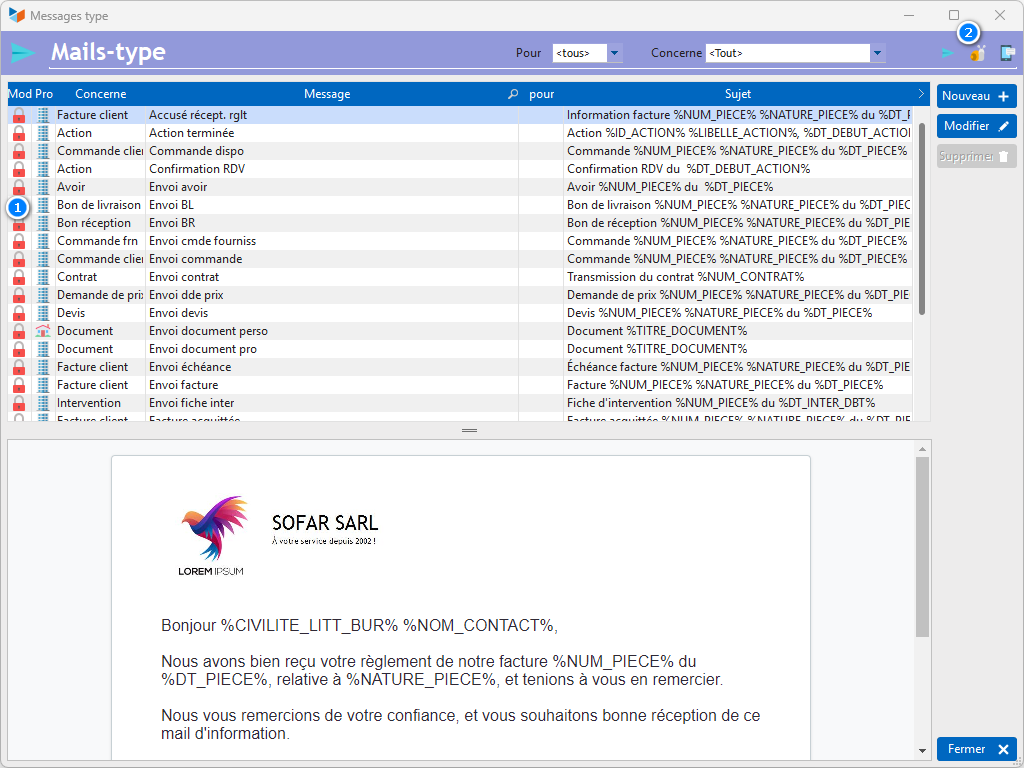
The 1 icon indicates the type of message:
- The system type (red padlock): you can modify them, but not delete them.
- The personal type (green padlock): you can modify and delete these messages.
The 2 icon allows you to display standard letters, standard emails, or standard SMS messages.
Context menu of the message list
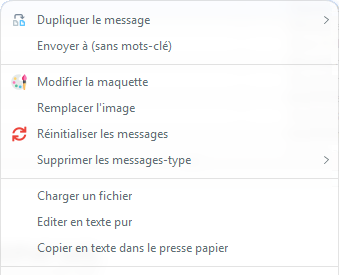
You can Duplicate a message either generic (it will be usable by everyone) or personalized (it will be reserved for you).
The Send to option sends the message to the address of your choice. Useful for focusing!
The standard emails are based on a HTML template, which you can modify in order to regenerate all the standard emails according to your own graphic charter, via the ** option. Edit the layout**.
Replace Image is a trick that allows you to replace the content of an image tag. In particular, it makes it possible to replace an image encoded in the email, therefore bulky, with an image referenced on the web, which makes it possible to reduce the size of the emails sent. It's a bit of coquetry, but you can never be too coquettish to try not to waste resources!
Reset Messages causes all system type messages to be regenerated. It does not modify personal type messages. It is possible to reset them to the Ax style, or the Gestan 15 style - yes, there are nostalgic people!
Via Delete message types, you can delete, for the user displayed in the combo at the top of the screen:
- or system type messages (in this case, only personal level messages will be deleted)
- either personal type messages (yours, or that of any other user if you have administrator rights on the database)
The Load a file option allows you to create a message with a file that you would have prepared with a text editor, or an HTML generator, for example.
The Edit in pure text option allows you to display and modify the source code of the message (HTML).
You can copy the source code of the standard message via the copy as text to clipboard option.
Message-type sheet
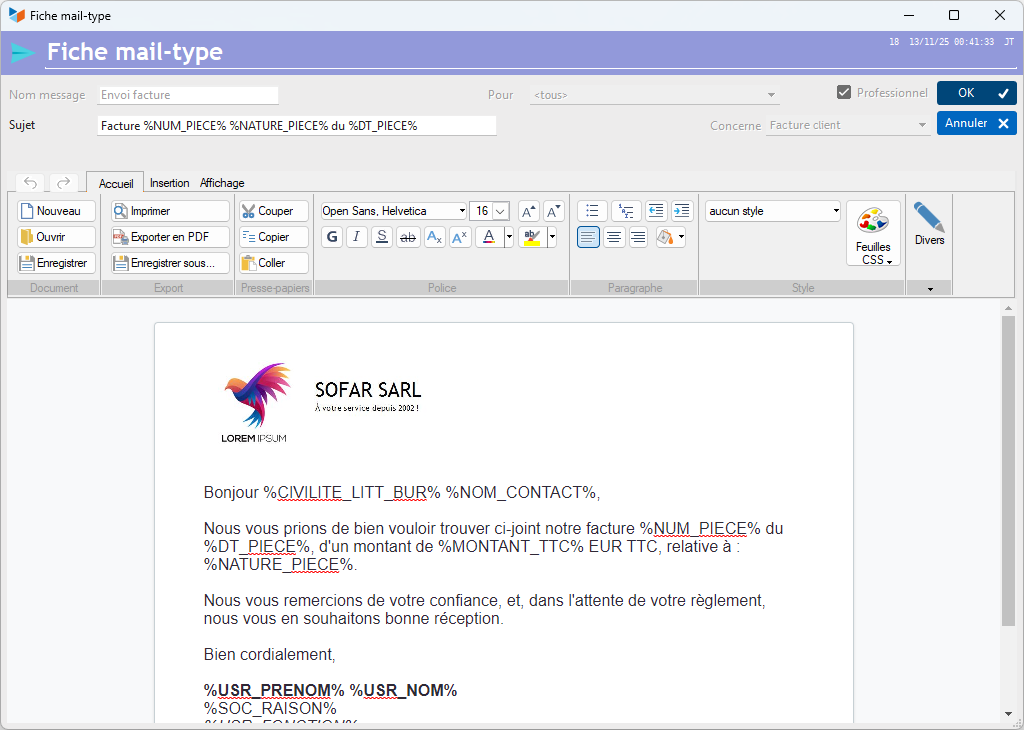
The standard messages contain keywords, which will be replaced by Gestan when the message is generated.
Depending on the target of the message (e.g. a message concerning an invoice, or an intervention), the keywords available are different. You will find the list on this page.
 You can use keywords in the subjects of standard messages.
 Other “Comm” articles