Table des matières
Maintenance plans
 A1 proofreading not yet effective for this page. In the meantime, you can ask any questions on the forum.
It is possible to plan maintenance plans for each machine/equipment, consisting of:
- one-off planned actions: do such and such a thing on such and such a machine on such and such a date
- recurring planned actions: do this thing on this machine every X days, Y months, or Z years.
List of maintenance operations
Access: Actions → Maintenance plans
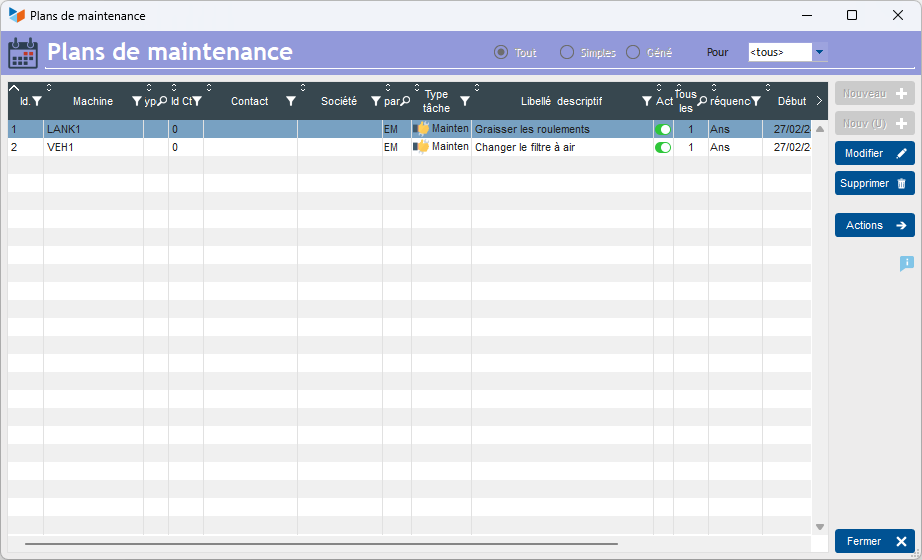
This screen displays recurring operations scheduled for machines/equipment.
It does not allow creation or modification.
Access: from the Maintenance tab of the machine sheet
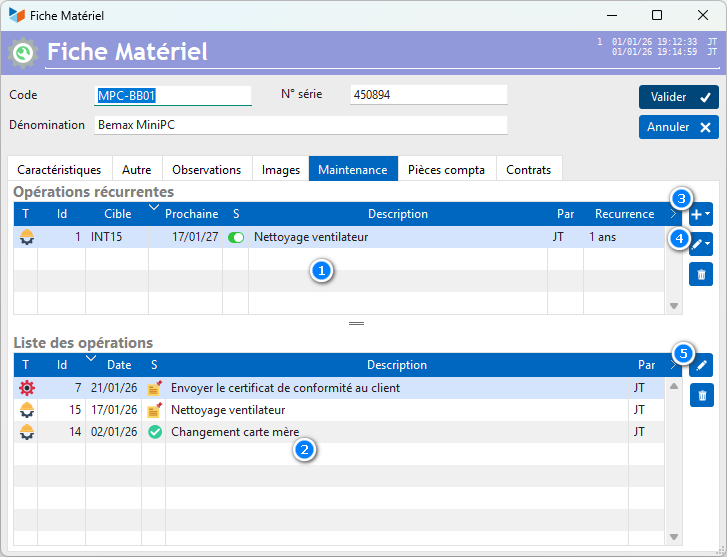
The upper part of the screen 1 presents recurring maintenance operations, while the lower part 2 presents the operations carried out or to be carried out: one-off operations, plus operations recurring.
Recurring maintenance sheet
Access: via the 3 button to modify recurring actions on the machine sheet.
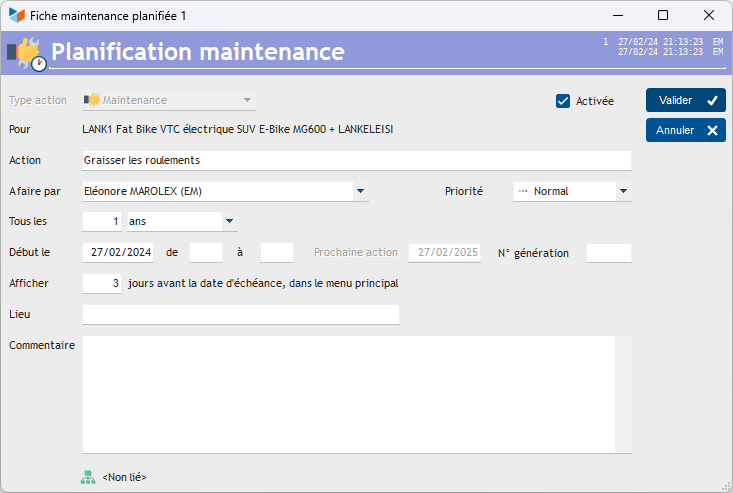
If you indicate in the Show field that it must be displayed 3 days before the due date, it will be displayed from 3 days before in the to-do list widget.
The generation number is a numeric incremented by 1 with each generation. In this case, the action wording may include the string #NUM, which will be replaced by the number when the action is generated. The simplest application of this possibility is the management of “anniversary” actions: for example, you want a reminder each year mentioning the age of your bike: note “Bike #NUM years” in the description, 0 in the generation number, and the next birthday as the start date. On the scheduled date, an action will be generated, with the label 1 year old bike.
The Activated box allows you to activate or deactivate the automatic generation of the maintenance operation.
It is possible to link a recurring maintenance action to a project or task. If the project or task is completed, the planned maintenance action will not be generated.
Occasional maintenance sheet
Access 1: via the 4 button to modify maintenance actions on the machine sheet.
Access 2: Activity → Actions → List of actions.
This is a action, maintenance type.
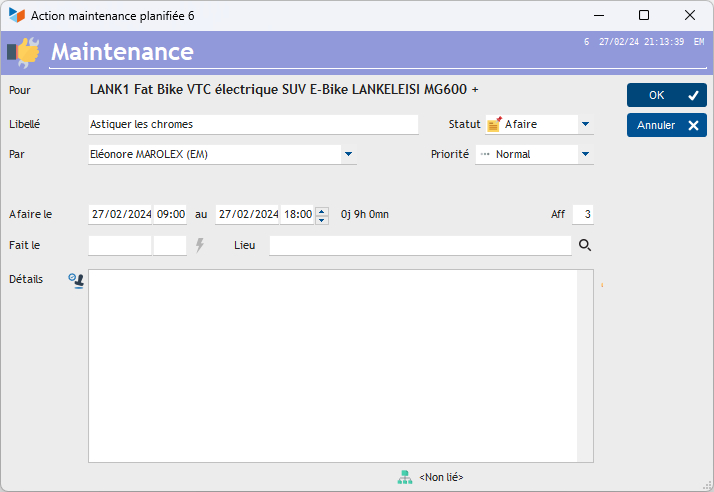
It is possible to link a maintenance action to a project or task.
 Other “Machines” articles