Table des matières
Daily breakdown
Whilst Gestan allows you to record Temps de travaux (conso) working times by day, the daily breakdown allows you to record additional details specific to the day: journeys, modes of transport, working arrangements, meal expenses and packed lunches.
Activation
Tick the “Detailed daily management” box in the general settings.
Entering daily details
Access: Projects → Working hours → “New” button, then the “Daily details” tab
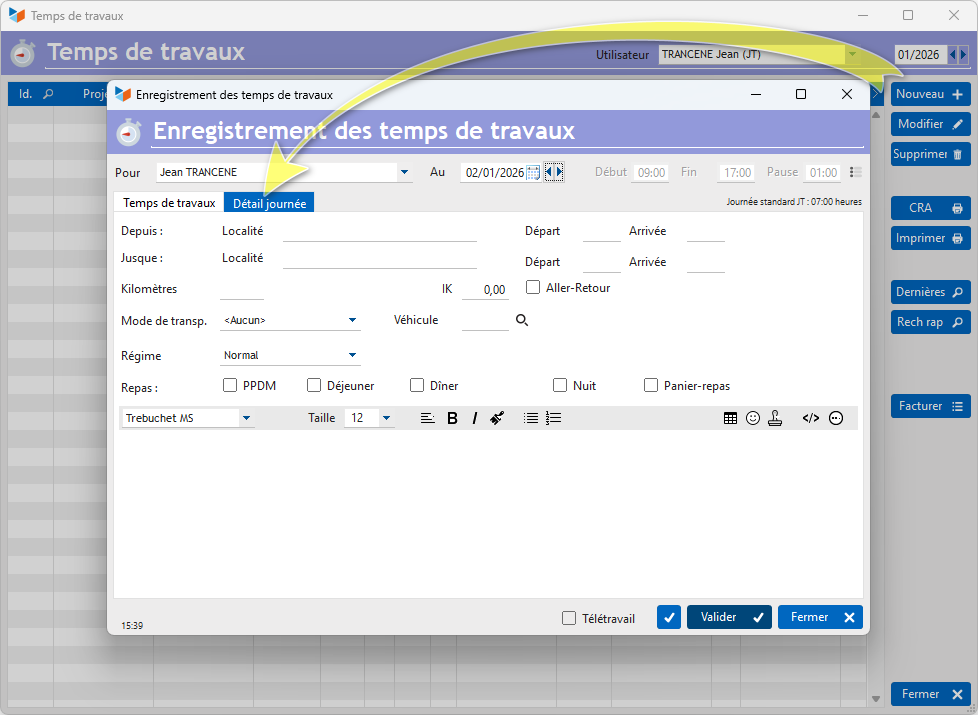
On this screen, the Working Time allows you to enter the time spent on tasks during the day, whilst the Daily Details allows you to enter the following details:
- From and To allow you to record a location and the departure and arrival times.
- You can enter the number of kilometres travelled, and specify whether it is a return journey, and specify the mileage allowance that may apply to the journey.
- You can specify the type of mode of transport, and, if applicable, link the journey to a vehicle tracked in Gestan
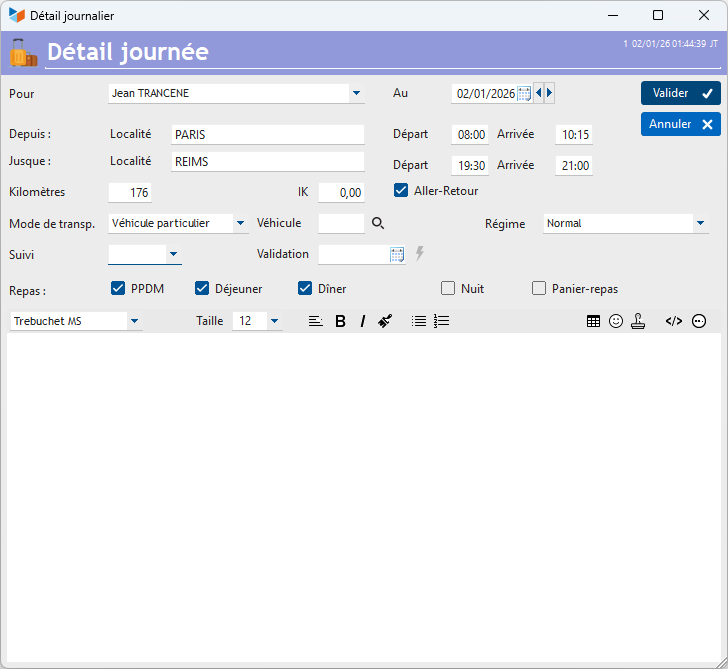
- You can specify which manager is responsible for Track of the day’s details, and that person can specify a date for approval date for that day. Once the day’s details have been validated, no one will be able to edit the record, except for the user who validated it.
- Finally, you can record accommodation and catering costs, as well as packed lunch expenses.
List of daily details
The list of daily details can be accessed via a dedicated screen.
**Access: ** Projects → Daily Details
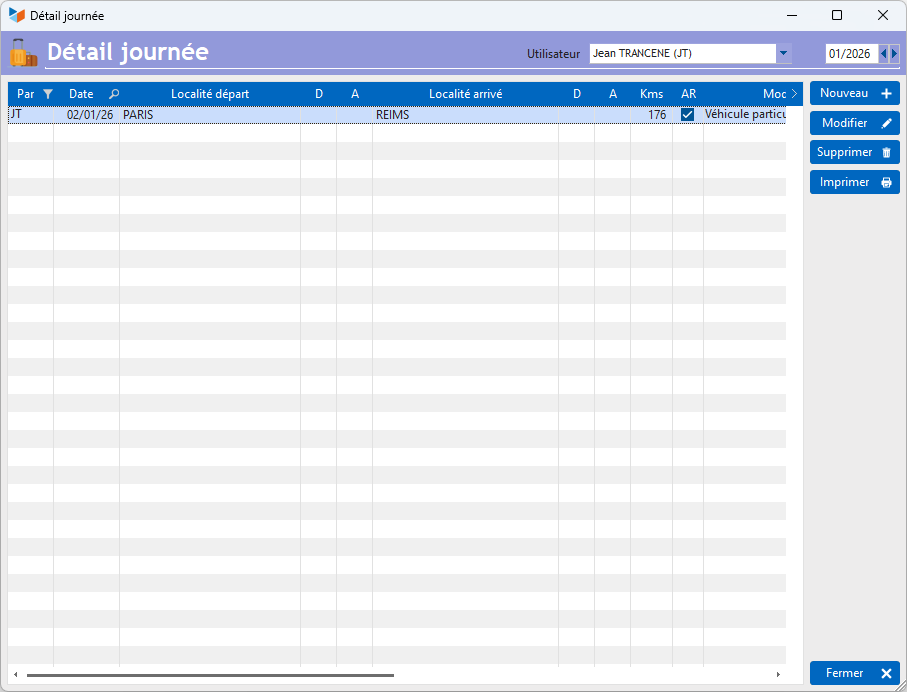
The screen displays the list of daily details recorded for each person.
The buttons New or Edit buttons on the list screen allow you to display the master record screen shown below.
 Other articles on “Projects, tasks, working hours”