Turnover and margin
 A1 proofreading not yet effective for this page. In the meantime, you can ask any questions on the forum.
This screen allows you to calculate turnover and margin, for a defined period, by analyzing invoices and customer credits.
It can also calculate the same data by analyzing quotes, orders, or DNs.
Using the screen
Access: Statistics → Turnover and margins
When “invoice” data is requested, the “credit note” data is taken into account when displaying the results.
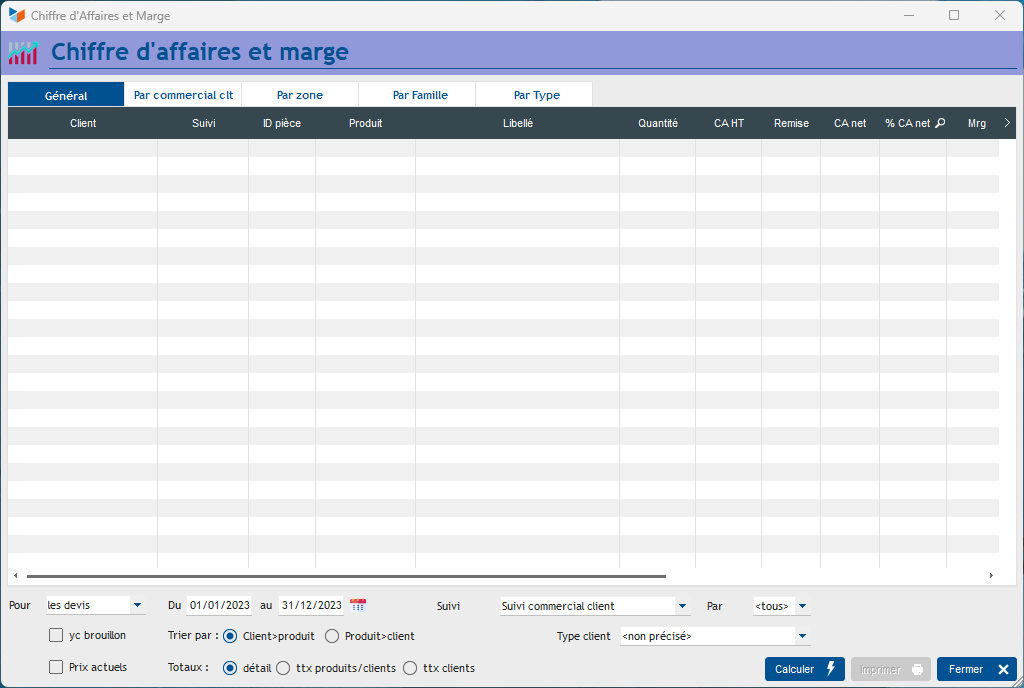
On the screen, indicate the dates of the period you want to take into account and the other filters.
If you check the box including draft, the documents with draft status will be taken into account.
If you check the Current prices box, the margin calculation will be made from the purchase prices appearing on the product sheet. Otherwise, the margin calculation is carried out according to the purchase price memorized by the document lines (You can check the memorized value of the purchase price by clicking on the modification button of the invoice line, on the invoice card screen, or via right-click on the item line).
The By Seller and By Area tabs present the results, totaled by seller (the user code indicated in the “Tracked by” box of the part, and by region (deducted from the postal code and country code ), while the By Family tab presents the results by product family. If customer types have been defined, the By Type tab gives the results by customer type.
 Other Stats articles