Turnover and Margin
This screen calculates turnover and margin for a specified period by analysing customer invoices and credit notes.
It can also calculate the same data by analysing quotations, orders or delivery notes.
Using the screen
Access: Statistics → Turnover and Margins
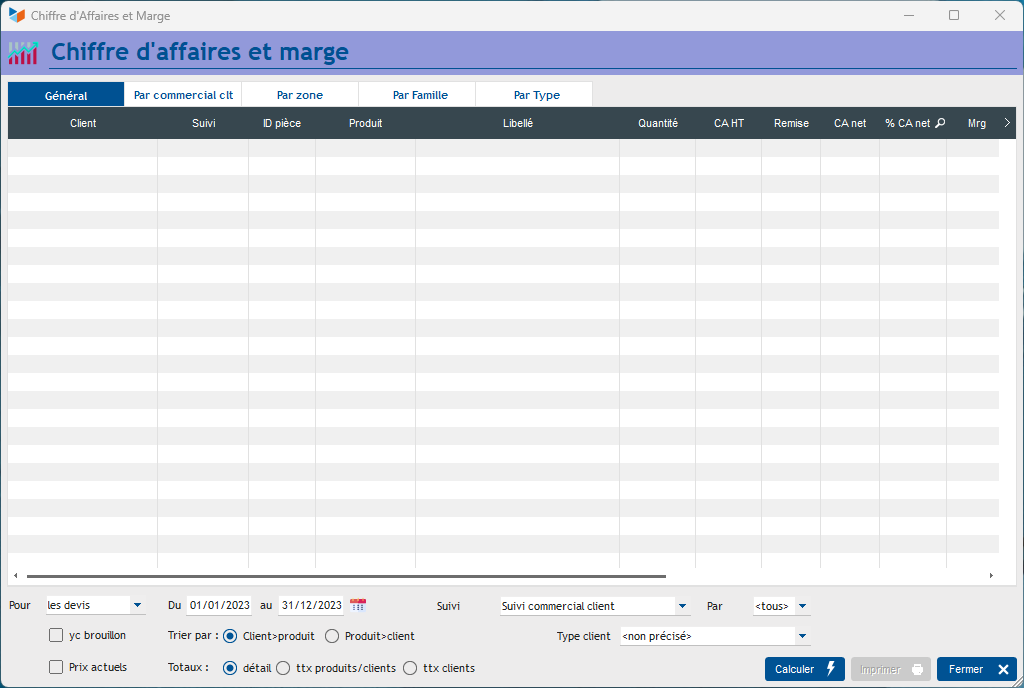
On the screen, enter the dates for the period you wish to analyse and apply any other filters.
If you tick the box ‘Include drafts’, documents with ‘draft’ status will be included.
If you tick the box Current prices, the margin calculation will be based on the purchase prices shown on the product master record. Otherwise, the margin calculation is based on the purchase price stored in the document lines (you can check the stored purchase price by clicking the edit button on the invoice line, on the invoice details screen, or by right-clicking on the document line).
The By Salesperson and By area tabs display the results, totalled by salesperson (the user code specified in the ‘Tracked by’ field of the document) and by region (derived from the postcode and country code), whilst the By family tab displays the results by product family. If customer types have been defined, the By type tab shows the results by customer type.
 When ‘invoice’ data is requested, ‘credit note’ data is included in the results display.
 Other “Stats” articles