Serial numbers
 A1 proofreading not yet effective for this page. In the meantime, you can ask any questions on the forum.
Gestan allows you to track the manufacturing batch numbers or serial numbers of your products.
You can follow them:
- or via the product configurators: simple mode
- or via batch/serial number management: advanced mode.
Management of serial numbers via the product configurator
In this mode, an intermediate screen allows you to enter a serial number each time you add a product with this configurator to a part (quote, invoice, etc.).
The serial number, which will be integrated into the parts lines, can be searched and exported.
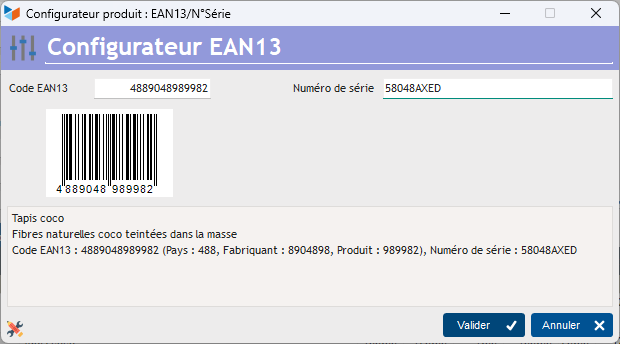
 See the page Product configurators
Management of serial numbers management of manufacturing batch numbers / serial numbers
The principle is to record, for each product whose manufacturing batch number or serial number you want to track, the manufacturing batches with their characteristics. It will then be possible to specify, for each product falling under this management, the batch number or serial number when adding a line of product concerned, on an invoice or a BL.
This second mode, more precise, is suitable for companies that sell products manufactured in batches, with or without a serial number in the batch, or simply with a serial number (in this case, the quantities are necessarily 1) .

See the page Manufacturing batches
 Other “Products” articles