When managing your product stock, you can:
- manage a single stock of products
- manage multiple stocks in different locations.
Stock locations can represent either a set of warehouses in different locations, the internal organisation of your main stock (e.g. racks or bins), or a combination of both.
Enabling the feature
Tick the box=== ===Manage stock locations in the general settings.
List of stock locations
Access: Products→Stock Locations
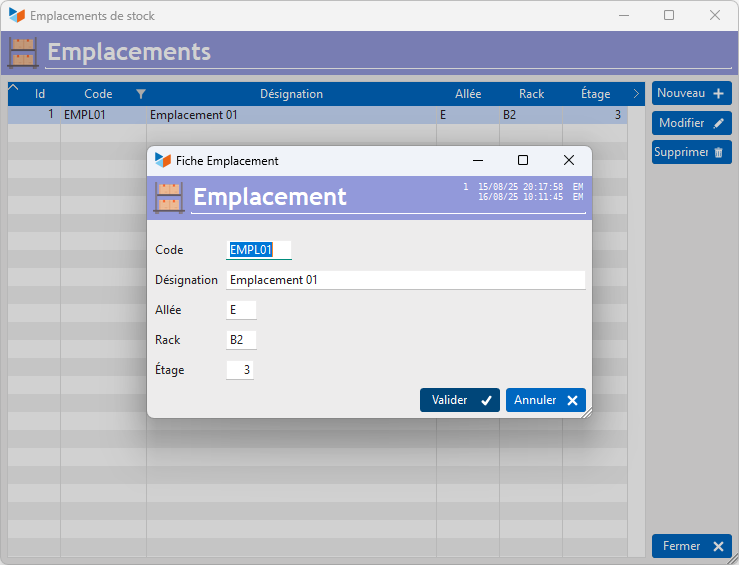
For each location, specify a code and a description.
In addition, you can specify an aisle number, a rack code and the shelf level within the rack.
ℹ️ Other “Stock” articles
Disponibilités par emplacements
Détails des stocks produits
Emplacements (de stock)
Etat des stocks
Fabrication de produits composés
Importer un Inventaire
Mouvements de stocks
Niveaux d'alerte
Recalculer / apurer / épurer les stocks
Reliquats
Stocks : généralités sur la gestion des stocks
Stocks : modes de gestion *
Stocks par numéros de série *
Transfert d'emplacements (de stock)