DEB/DES
 A1 proofreading not yet effective for this page. In the meantime, you can ask any questions on the forum.

Within the European Union (EU), most commercial exchanges require the monthly transmission to customs of a declaration of exchange of goods (DEB) listing all exchanges of goods with the Member States of the EU, and a European Services Declaration (ESD) if you provide services to companies established in other EU countries.
This screen allows you to extract the data necessary for the DEB and the DES. It makes it possible to produce:
- an excel file in DEB format, directly integrated into the French customs portal
- an excel file in INTRASTAT format, for the Luxembourg customs portal
 More information on the DEB and the DES on the Customs site (France ).
More information on INTRASAT on the Luxembourg statistics portal.
Using the screen
Access: Statistics → DEB/DES.
Previously, you must have checked the “Import-Export” box of general parameters.
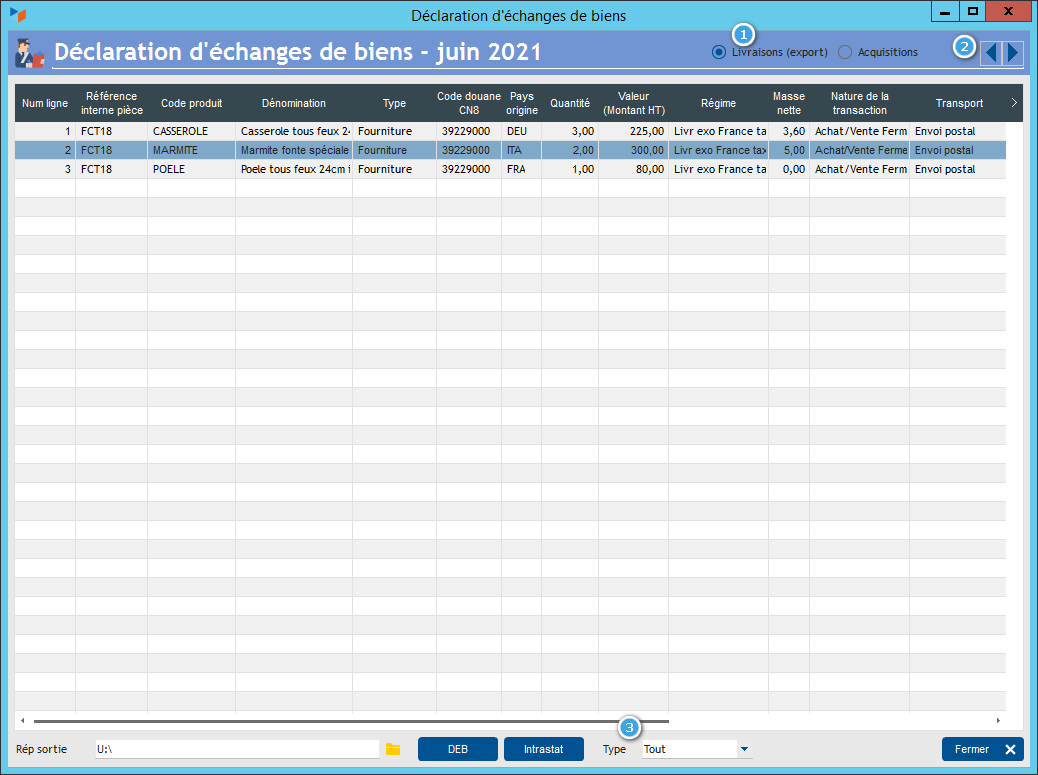
The 1 selector allows you to select the type of extraction: either export data (Deliveries option) or import data (Acquisitions option). The 2 spin allows you to select the display month.
The Type 3 combo allows you to select the type of product families that you want to take into account: goods, services, or a combination of several.
The EU 4 check box allows you to select only customers under the EU VAT regime. This makes it possible to take into account the case of companies whose VAT number does not correspond to the country. Let's imagine for example a Belgian company (with a Belgian address) but with a Luxembourg VAT number, for a Luxembourg DEB. The invoices from this company are found in the export because of its address but it should not be there since it is not an intra-community sale. This also makes it possible to exclude all counter sales to foreign resident customers who are charged local VAT.
The DEB button produces an Excel file that can be integrated into the customs portal. The INTRASTAT button produces an Excel file in INTRASTAT format. The Output directory area allows you to specify the output directory for Excel files.
Non-catalog products are indicated by a yellow color. For these products, zone CN8 is populated by the product code, the country of origin code is initialized with the country of the company, and the net mass is zero. These three fields can be modified directly in the table.
INTRASTAT Example

(green columns are required)
In Deliveries mode
The screen selects, for the given month, all non-draft customer invoices, whose customer address bears a country code that is a member of the European Union.
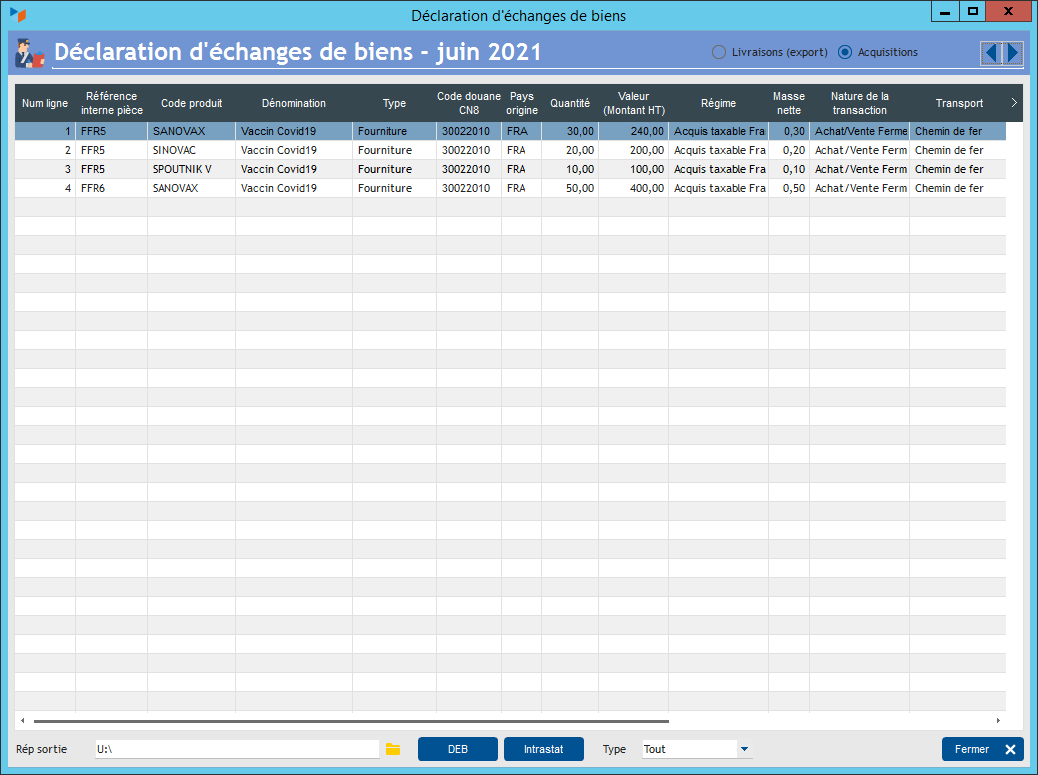
In Acquisitions mode
The screen selects, for the given month, all non-draft supplier invoices, whose customer address bears a European Union country code, and whose Reverse Charge box is checked.
 Other Stats articles