Hierarchical notes
 A1 proofreading not yet effective for this page. In the meantime, you can ask any questions on the forum.
GESTAN includes a notes manager: it allows you to save notes hierarchically, like the Windows file explorer, with very fast access time.
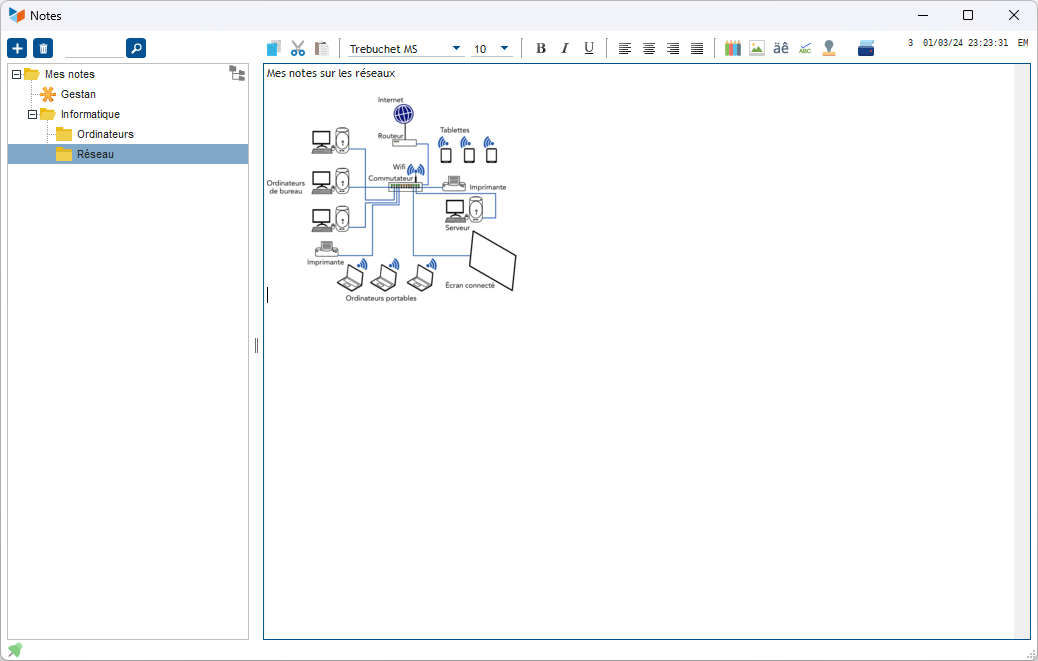
The notes are immediately accessible, and the loading time of the possible application (Libre Office, Word, Excel, or other) is saved.
A search function is available, on the titles or body of notes.
You can customize hierarchical notes with icons.
For a note, it is possible to specify a confidentiality level:
- If it is public, it can be seen and modified by all Gestan users.
- If it is read-only, it can be seen by all Gestan users, but only you can modify it.
- Finally, if it is private, it will only be seen by you.
 You will find in the <Installation directory>\RESOURCES\ICONES directory a set of icons that can be used to personalize your notes (ico, png or gif files, 16*16 pixels).
 Other articles “Miscellaneous functions”