Post'it
 A1 proofreading not yet effective for this page. In the meantime, you can ask any questions on the forum.
Gestan allows you to “paste” post'it on the main screen, it's very practical!
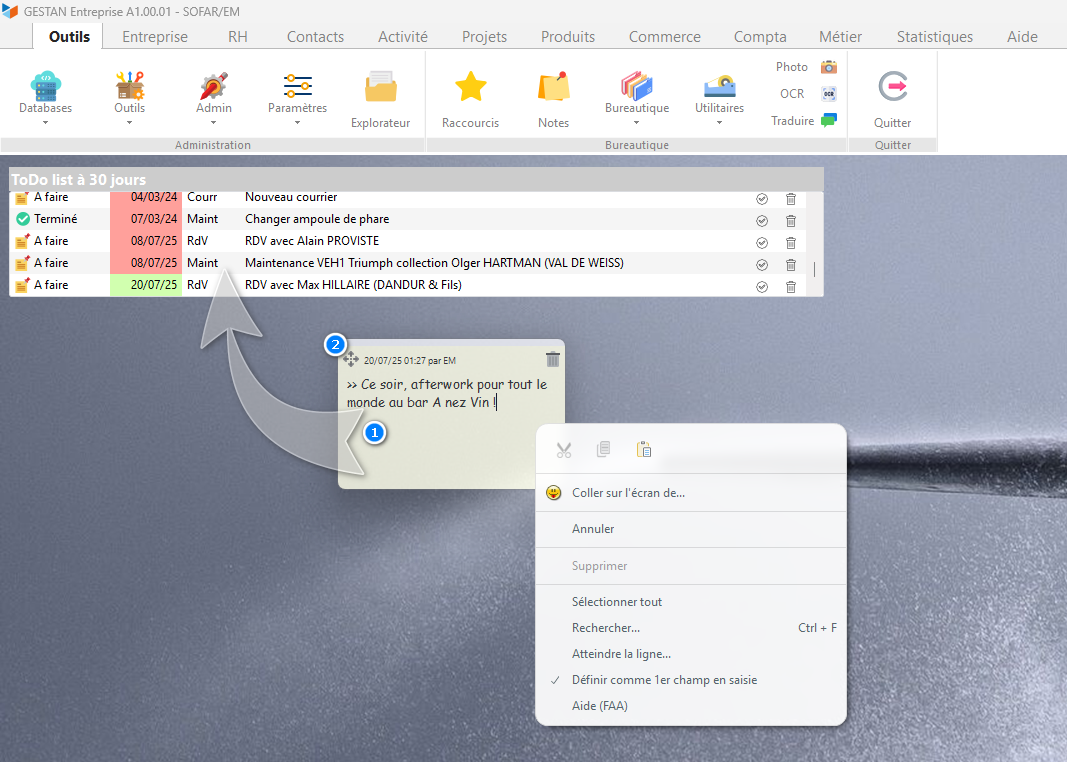
By drawing a rectangle with your mouse, a new post'it 1 will be displayed on your screen. You can enter text, change its size or move it around your screen, just like a paper post'it.
(The Utilities → Post'it menu displays the whole list, but you can only delete or modify your own post'it.
Tips for post it management
Create an action from a postit
By grabbing the icon at the top left of a postit, and dragging it into the to-do list (if you've enabled this widget), you can automatically create an action, assigned to yourself.
Paste a postit onto another user's screen
Via Paste to screen of from the post'it context menu, you can paste the post'it onto the screen of any other Gestan user.
 Other “Miscellaneous functions ” articles