Table des matières
Inventory movements
 A1 proofreading not yet effective for this page. In the meantime, you can ask any questions on the forum.
This is the entry and withdrawal of products whose stock you manage.
Additional information, such as stock location, supplier, batch number or serial number, can be recorded here if managed.
List of movements
Access : Products - > Stock movements
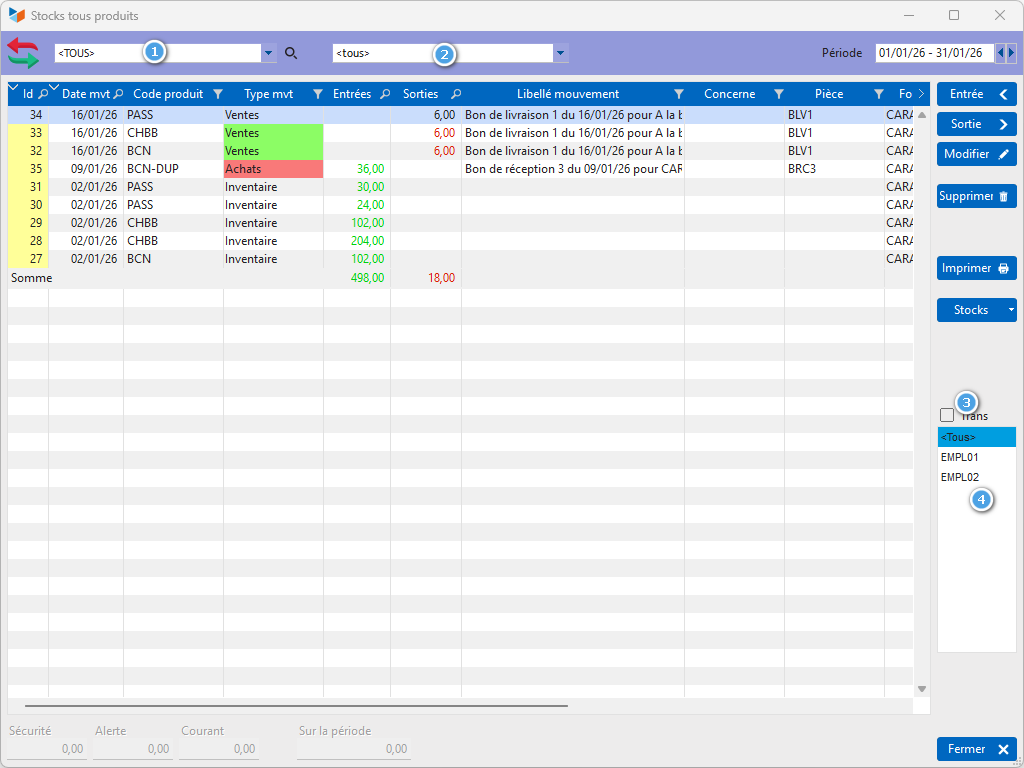
The 1 combo displays products whose stock is managed. It allows you to select just one, in which case the key figures 5 are calculated.
The 2 combo is used to select a type of stock movement.
If the Trans 3 box is checked, transfer movements will be displayed.
Bin list 4 displays movements for the selected bin only.
Stock movement sheet
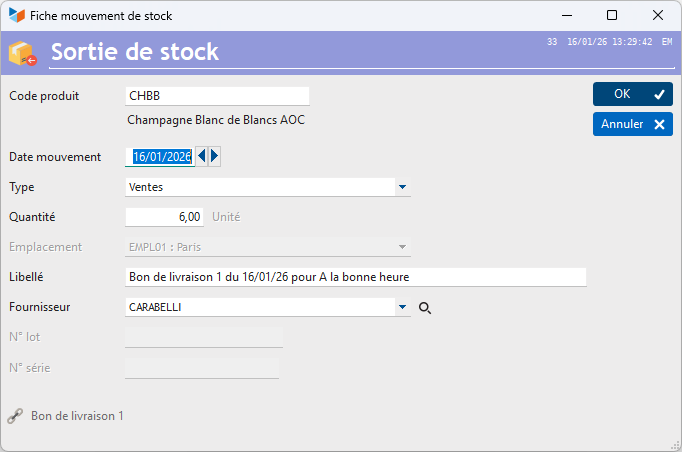
Provides details of the movement.
The stock movement may be linked to the relevant part. If the part is linked to a project, then the movement will be linked to the same project.
 Other “Stocks ” articles