Remains
 A1 proofreading not yet effective for this page. In the meantime, you can ask any questions on the forum.
A backlog is the difference in quantity between the planned and the actual.
For example, you need to fulfill a sales order for 100 products. For any logistical reason, you only deliver 80: the remainder is 20. The calculation is identical in the case of a supplier order.
Gestan can do this calculation for the analysis of generated parts (for example, the remainder of delivery notes from a selection of orders) or the analysis of original parts (for example, the remainder of original orders from a delivery sheet).
Using the screen
Calculation for generated parts
Access: //Select the parts concerned, then use the context menu: //For selection → Calculate balances (or Ctrl+R).
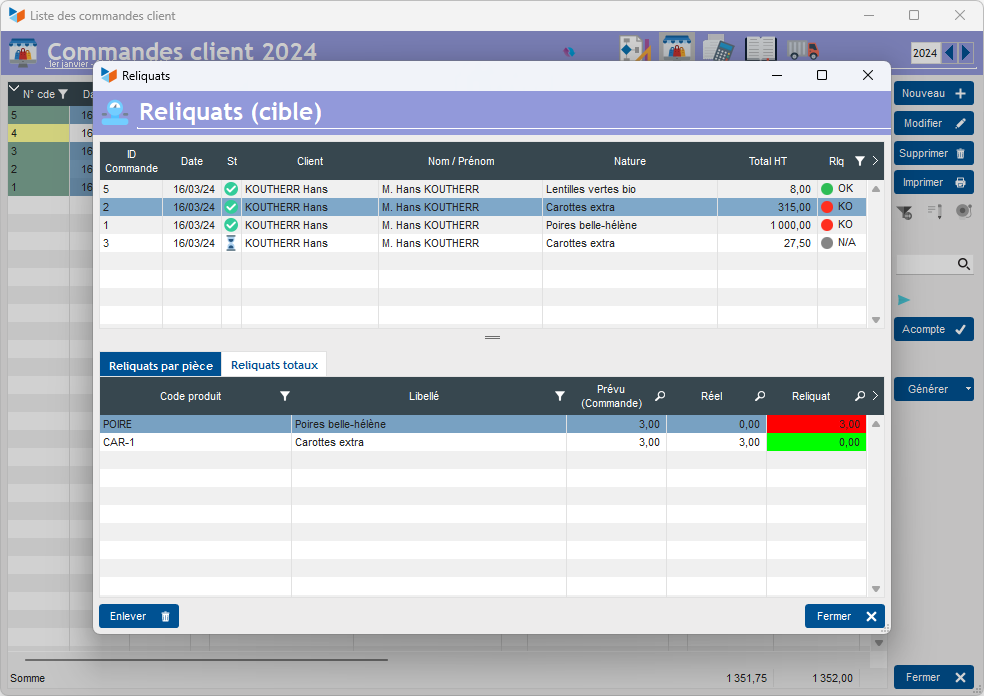
In this example based on customer orders, they are displayed at the top, depending on the selection made from the order list screen.
The backorder status is displayed in the Rlq column: Green for parts without backorders, red for parts with backorders, and gray for parts that do not have daughter parts.
In the lower part, the Backorders by part tab presents the backorders for the selected part, while the Total backorders tab presents the totals by product, for the selection of parts.
Calculation for original parts
Access: //From a non-compliant part, click on the //non-compliance indicator 1
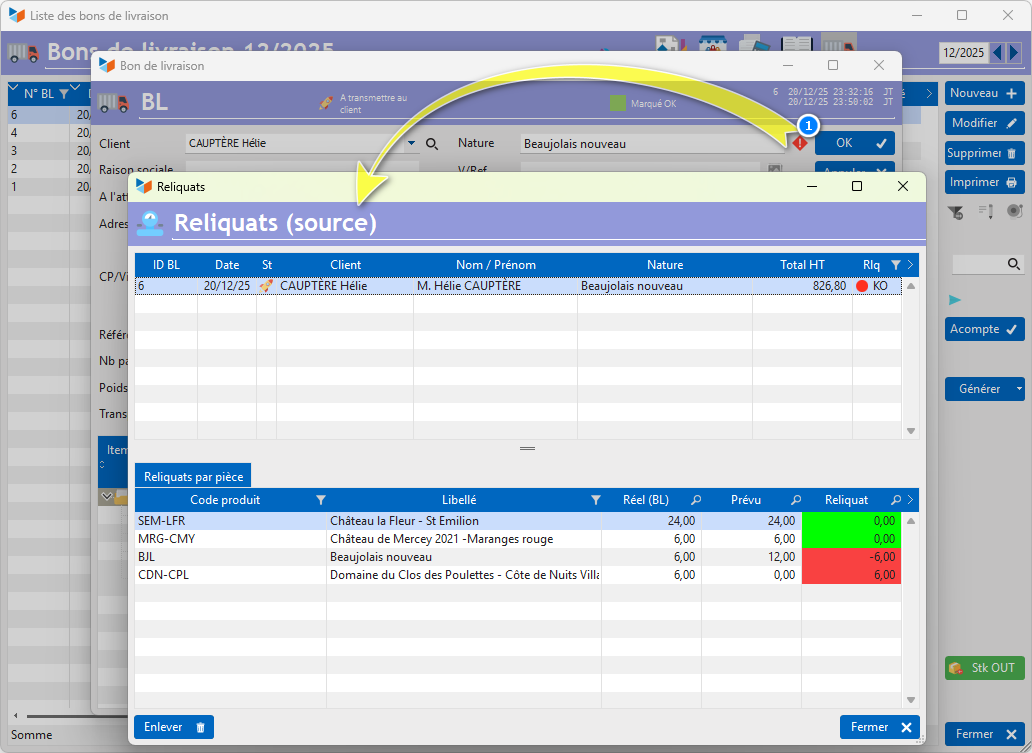
On this example based on a delivery note, clicking on the conformity indicator 1 opens the compliance screen. management of backorders, displaying the discrepancies between the generated part, here the delivery note, and the original part(s), here the customer order.
 Other “Stocks” articles