Supplier credit notes
Supplier credit notes (known as ‘debit notes’ in Belgium) are issued by your suppliers and represent recognition of a credit balance you hold with your supplier.
A supplier credit note can be settled:
- either by deducting the amount from your future purchases from that supplier;
- or by having it refunded directly by your supplier.
The management of supplier credit notes includes the elements common to invoicing, and the specific features of supplier invoicing.
List of supplier credit notes
Access: Trade → Supplier credit notes
The screen displays a list of all supplier credit notes issued during the calendar year or financial year specified in the settings (if the start date of the financial year declared in the application settings is not 1 January).
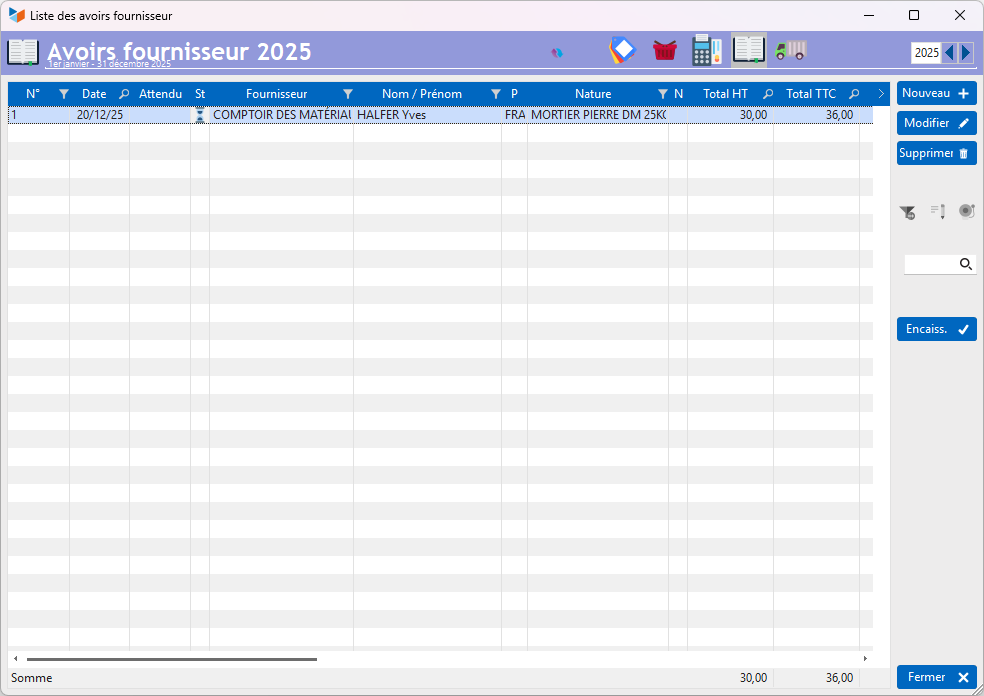
The button Received button is used when your supplier reimburses the credit note directly to you.*
When you post an invoice from a supplier with whom you have an outstanding credit note, Gestan will alert you with a specific message.
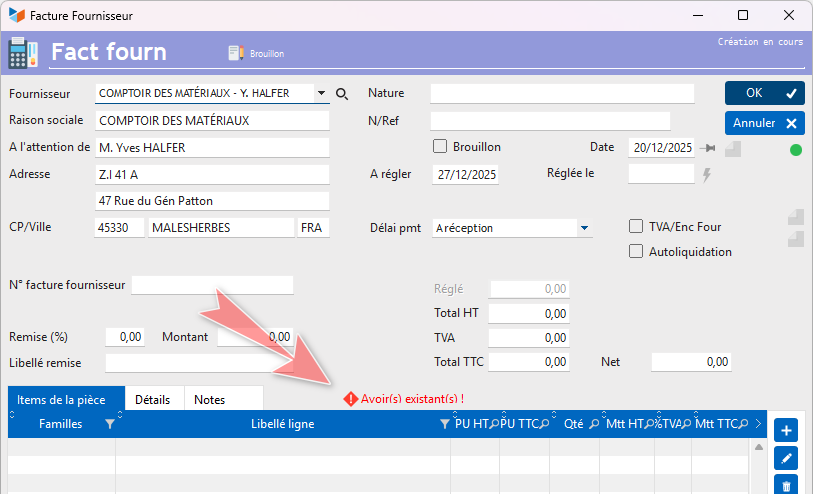
===== ===== Supplier Credit Note Record

You can enter the supplier credit note number in the Supplier Credit Note No.field.
Processing of customer and supplier credit notes
For example, you purchase 25 bags of lime from your supplier. One of these bags is damaged and you return it to the supplier.
To record this credit note, you can:
- use the New button in the list of supplier credit notes
- use the Generate → A credit note from the list of supplier invoices.
It is preferable to use this second option, which has the advantage of recording the relationship between the original invoice and the credit note in the Document genealogy e history of the document.
Your supplier has two options:
- either to refund the credit note directly to you
- or to deduct the amount of this credit note from your future purchases.
Case of direct refund of the supplier credit note
If your supplier makes a direct refund, the Received button in the list of supplier invoices allows you to record this refund.

Case of deducting a supplier credit note
When you go to pay an invoice from a supplier with whom you have a credit note, Gestan will offer to deduct the amount of the credit note from your payment.

If you select ‘Yes’, the payment screen will open, showing the invoice amount minus the credit note amount.

The status of the relevant credit note will then change to ‘Settled’, and the invoice payment details will show two lines: one for the credit note balance and the other for the standard payment.

ℹ️ Other articles on “Supplier Invoicing”
Invoicing: common elements
Cas concret : Intermédiation
Entêtes des pièces
Facturation : éléments communs
Factures : options spécifiques
Frais de port
Généalogie des pièces
Importer des lignes de pièce (tableur)
Liaisons des pièces
Ligne pourcentage
Livraison partielle
Numérotation des factures
Optimiser les achats
Retenues de garantie *
Surtaxes nationales
Tri des lignes de pièce