Request for quotation
Requests for quotations are sent to your suppliers prior to purchase, enabling you to select the supplier that best meets your purchase requirements.
List of requests for quotations
Access: Commerce → Quotation requests

the button Generate allows you to create, with a single click, from the quote request:
- a supplier order,
- a customer order,
- a goods receipt,
- or a quotation.
The quote request record

The Received allows you to enter the date on which you received the supplier’s reply.
Processing price enquiries
If the price quoted by your supplier differs from the one you had recorded in your catalogue for that supplier, you should update the purchase prices in your product catalogue before placing a new order with that supplier.
This is because if you were to place a supplier order without processing the result of the enquiry, the order would be created using the previously recorded prices. This update can be carried out in two ways:
- either directly in the product records
- or by using the price update programme.
For the second option, use the context menu on the screen and select the option Update supplier prices (see price update).

Email transmission
For a price enquiry, the email sending screen attaches not only the PDF of the price enquiry 1, but also an XLS file 2 which allows your supplier to return their reply by updating this file.

“Quotation Request” report
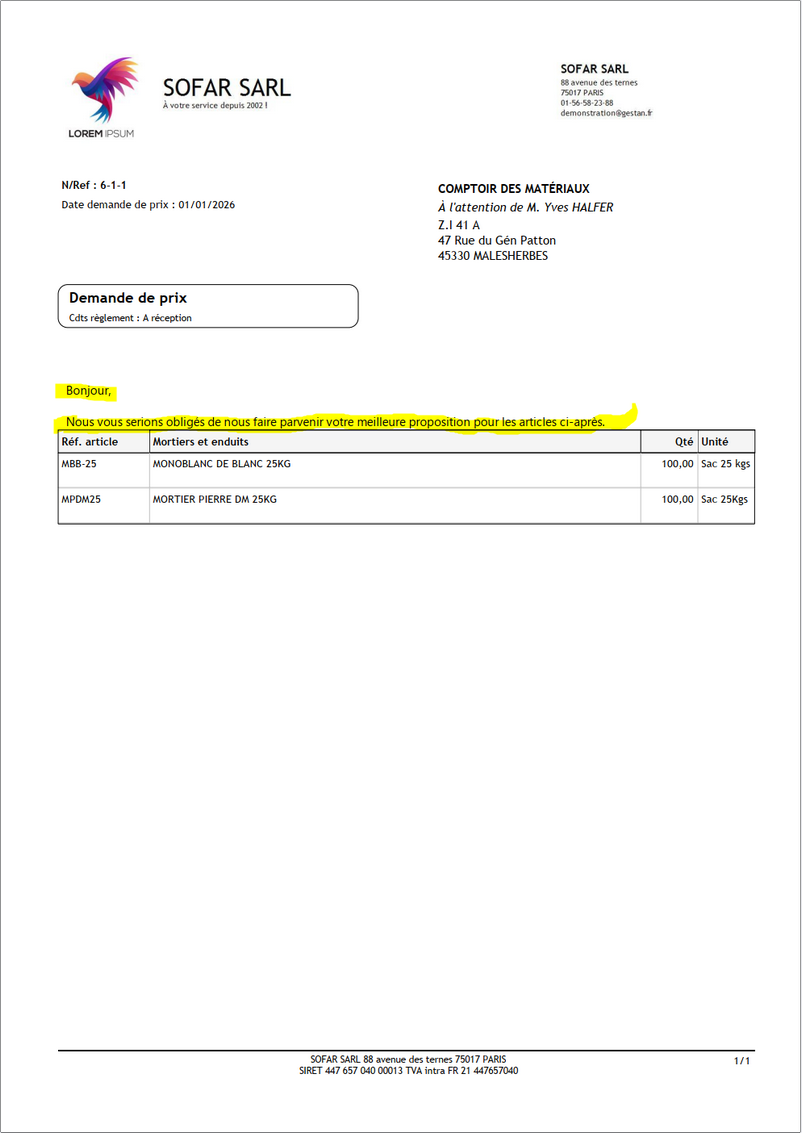
In the generated document displayed in the report editor, a caption introduces the request for quotation: Please send us your best quotation for the following items.
You can edit this text using the Translation (Select “Dde prix” from the “What” drop-down menu).
 Other articles on “Supplier Invoicing”
Invoicing: common elements
Cas concret : Intermédiation
Entêtes des pièces
Facturation : éléments communs
Factures : options spécifiques
Frais de port
Généalogie des pièces
Importer des lignes de pièce (tableur)
Liaisons des pièces
Ligne pourcentage
Livraison partielle
Numérotation des factures
Optimiser les achats
Retenues de garantie *
Surtaxes nationales
Tri des lignes de pièce