Daily details
 A1 proofreading not yet effective for this page. In the meantime, you can ask any questions on the forum.
 Gestan allows you to record work time per day.
The daily detail allows you to record additional elements characteristic of the day: journeys, modes of transport, work regime, food costs, packed lunch.
Entering work times
Access: Projects → Work time → New button
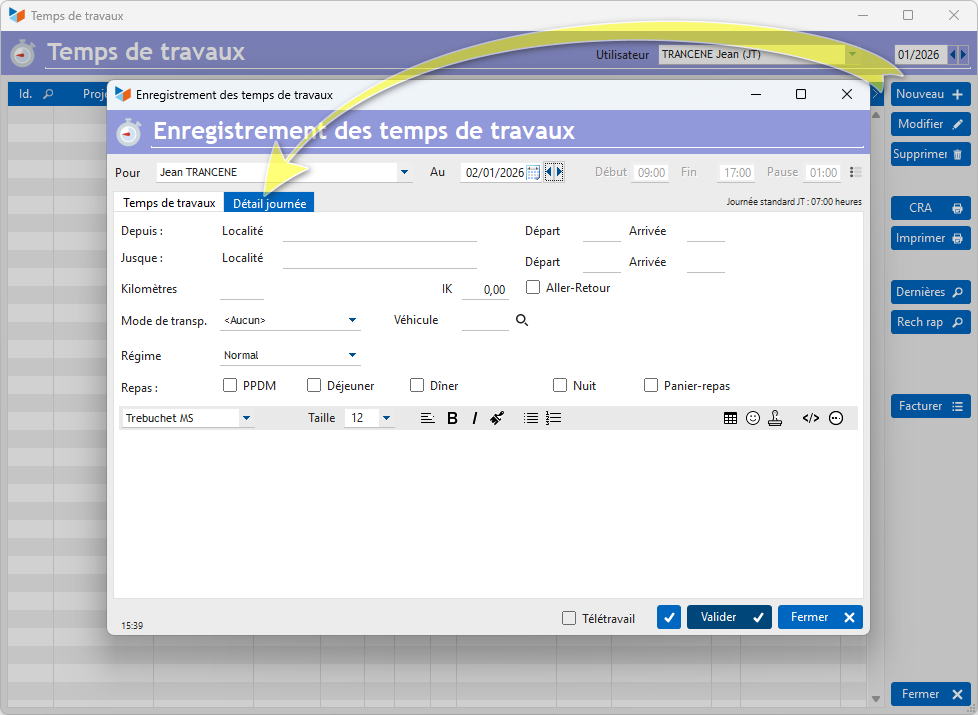
On this screen, the work time tab allows you to enter the time consumed by tasks during the day, while the Day detail tab allows you to enter the following elements:
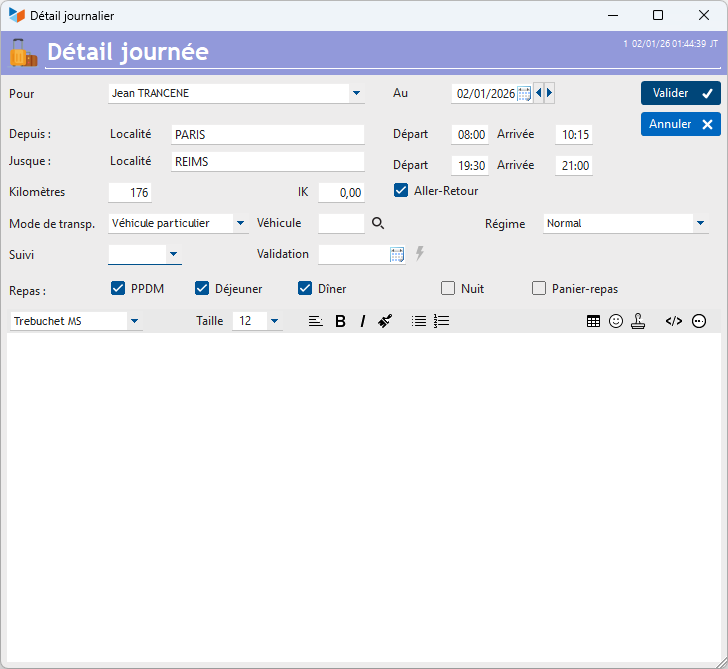
- From and To allow you to record a location and departure and arrival times.
- You can enter the number of Kilometers traveled, indicate whether it is a Round trip, and specify the amount of mileage compensation that may apply to the trip.
- You can specify the type of Mode of transport, and possibly link a vehicle tracked in Gestan to the transport
- You can indicate which manager carries out the Monitoring of the day's details, and the latter can specify a Validation date for the day. If the day's details are validated, no one will be able to modify the record, except the user who validated it.
- Finally, you can note the costs of accommodation and meals, and packed lunches.
List of daily details
The list of day details is accessible via a dedicated screen.
Access: Projects → Days details
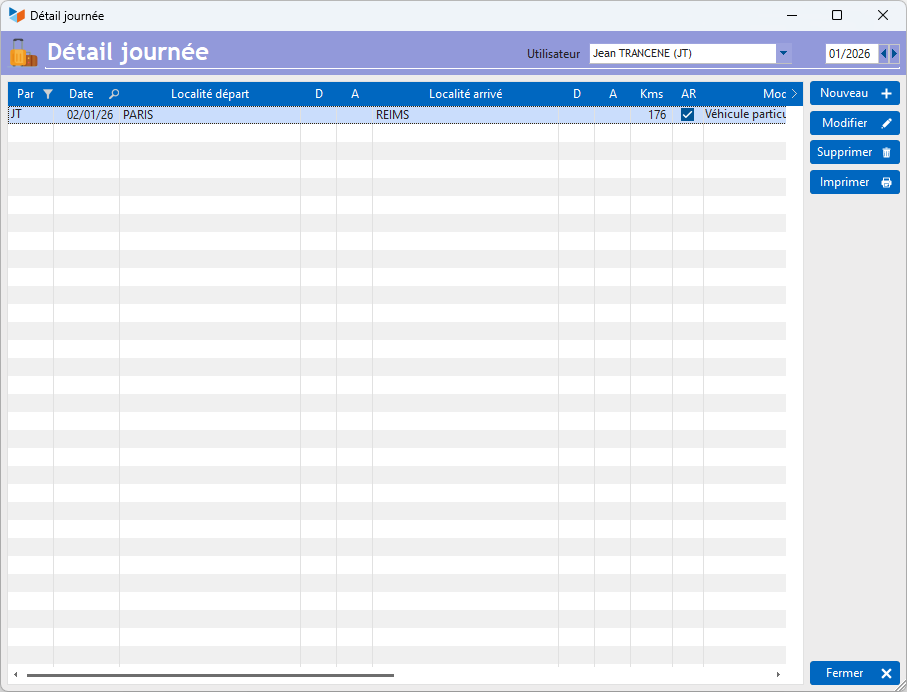
The screen shows a list of day details recorded for each person.
The New or Modify buttons on the list screen display the record screen below.
 Other articles “Projects, tasks, work times”