Supplier credits
 A1 proofreading not yet effective for this page. In the meantime, you can ask any questions on the forum.
Supplier credits (called “debit notes” in Belgium) are established by your suppliers, and constitute recognition of a debt you have with your supplier, which can be deducted from your next purchases from this supplier.
List of supplier credits
The assets list screen displays all the assets established during the calendar year or fiscal year displayed in the parameter (if the first fiscal year date declared in the application settings is not January 1st).
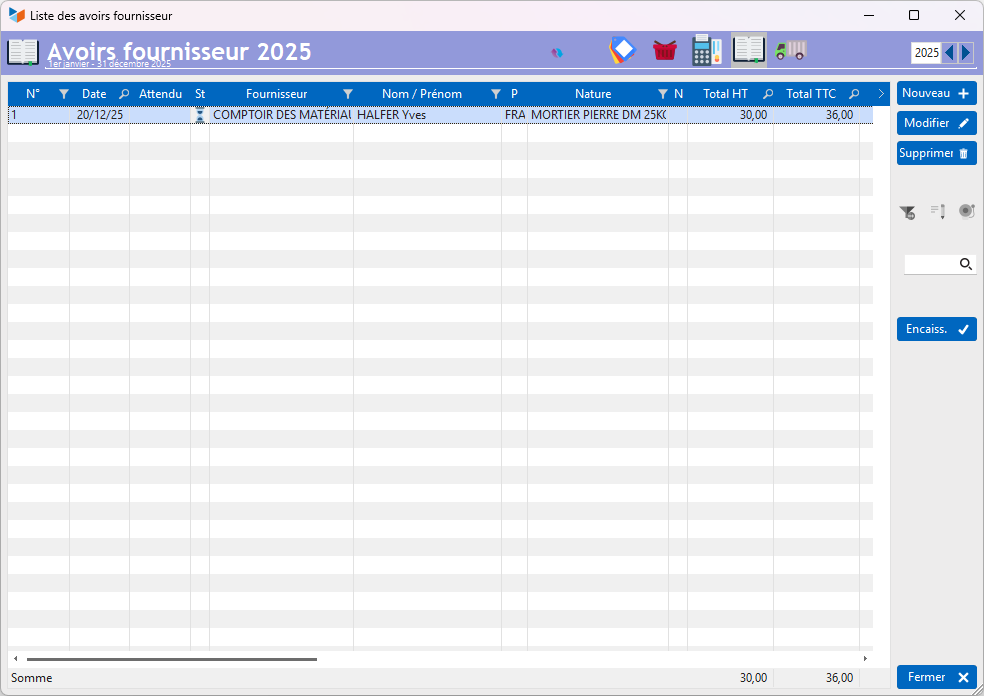
The Cash button allows you to record that the supplier has returned the amount of the credit to you. This will generate a receipt entry.
Supplier credit card
Processing a supplier credit note
To record the processing of a supplier credit note, there are two possibilities:
- direct reimbursement: in this case, your supplier reimburses you directly the amount of the credit, which you record directly via the Pay button, which will generate the corresponding entry and settle the credit .
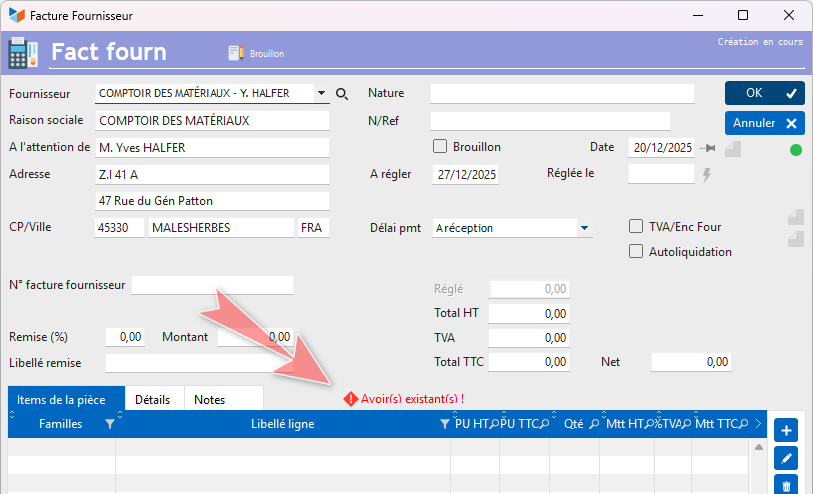
- payment by credit note: in the event that you issue a new order to the same supplier, for an amount equal to the credit note, the amount of the credit note allows you to settle the supplier invoice in full or part. For example, if you have a credit of 20 with a supplier, but you place a new order of 100, your supplier should issue a supplier invoice of 80. When you enter the invoice, Gestan will offer to pay it. with the credit note: the Cash button in the invoice table will ask you to disburse 80, and an additional entry of 20 will be created to represent the balance of the invoice via the deposit. With one click !
Gestan automatically manages invoice numbers, credit note numbers, and links between documents.
Modification of a credit note
Modifying a supplier credit note is authorized as long as the credit note is in draft status.
If the “Draft” box is not checked, or the repayment date is entered, the credit note can no longer be modified. Only users with administrator privileges can make it editable again, by clearing the recovery date and checking the “Draft” box.
Deletion of a credit
Deleting a credit note is reserved for Gestan users with administrator rights.
 Other Supplier Invoicing articles
Billing: common elements