Parts links
 A1 proofreading not yet effective for this page. In the meantime, you can ask any questions on the forum.
Parts (quotes, invoices, etc.) can be linked :
- to projects and tasks
- to machines
They can be linked to any customer part (quotation, order, invoice, credit note, delivery note), and to any supplier part (request for quotation, order, invoice, supplier credit note, delivery note).
Links between parts and projects/tasks enable financial tracking of projects. This screen is useful for project financial managers, who can check the financial balance of their project (comparison of committed/expended, expense/income, received/delivered).
Linking parts to machines enables the part to be found in the machine's file.
Using the screen
**Access : **Customer follow-up → Parts links, or Supplier follow-up → Parts links
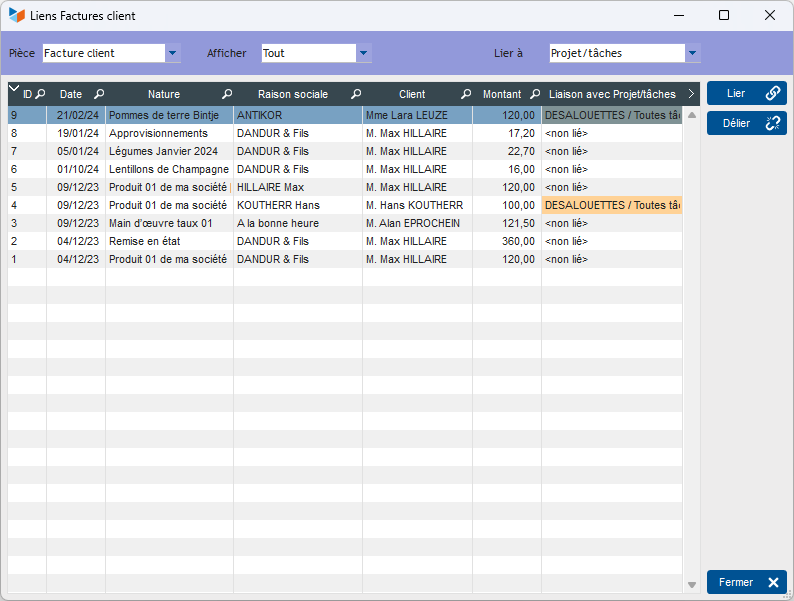
The Link button opens the “linkable” entity selection screen to create a new link, while the Unlink button deletes the link.
The link column is colored orange to indicate that the contact of the linked entity is not the same as that of the invoice (this may be normal).
 Other “Invoicing ” articles
Invoicing: common elements
Customer billing