Intervention planning
 A1 proofreading not yet effective for this page. In the meantime, you can ask any questions on the forum.
Interventions can be displayed on a schedule.
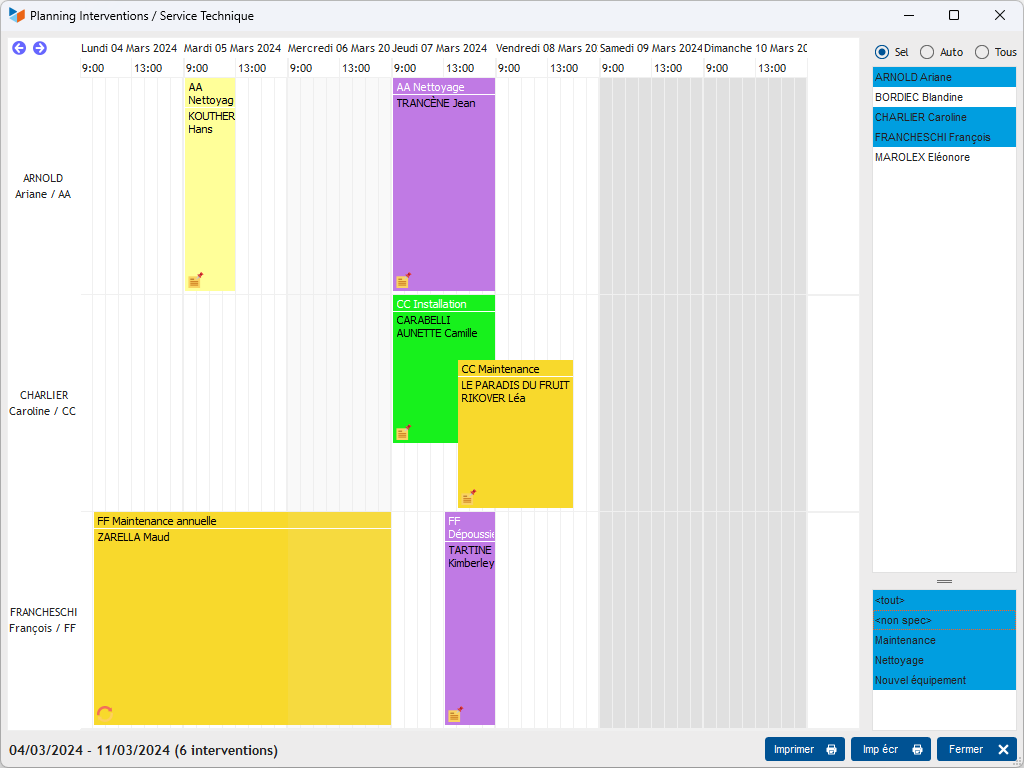
They can be colored according to their type, if a color has been assigned to the type of intervention.
The radio button allows you to choose 3 options:
- all: all users are displayed
- auto: users are displayed if they have an action recorded for the period
- salt: you can select the users you want to display.
The user list context menu allows you to select users from a pool or service.
Context menu
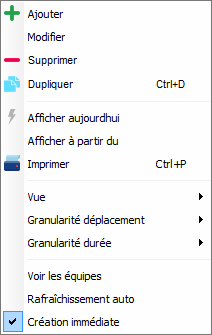
Among the options available:
- View teams allows you to display the schedule of the teams carrying out the interventions (otherwise, the schedules displayed are only those of the main stakeholders)
- Auto refresh allows you to automatically refresh the screen: with each modification, the screen displays the new data, which is practical when, for example, it is permanently displayed and used to monitor an activity in progress.
 Other Activity articles