Invoice reminder
 A1 proofreading not yet effective for this page. In the meantime, you can ask any questions on the forum.
This screen is used to send reminders for unpaid customer invoices and overdue quotations.
How to use the screen
//Access : - Customers → Invoices → “Relaunch” button //
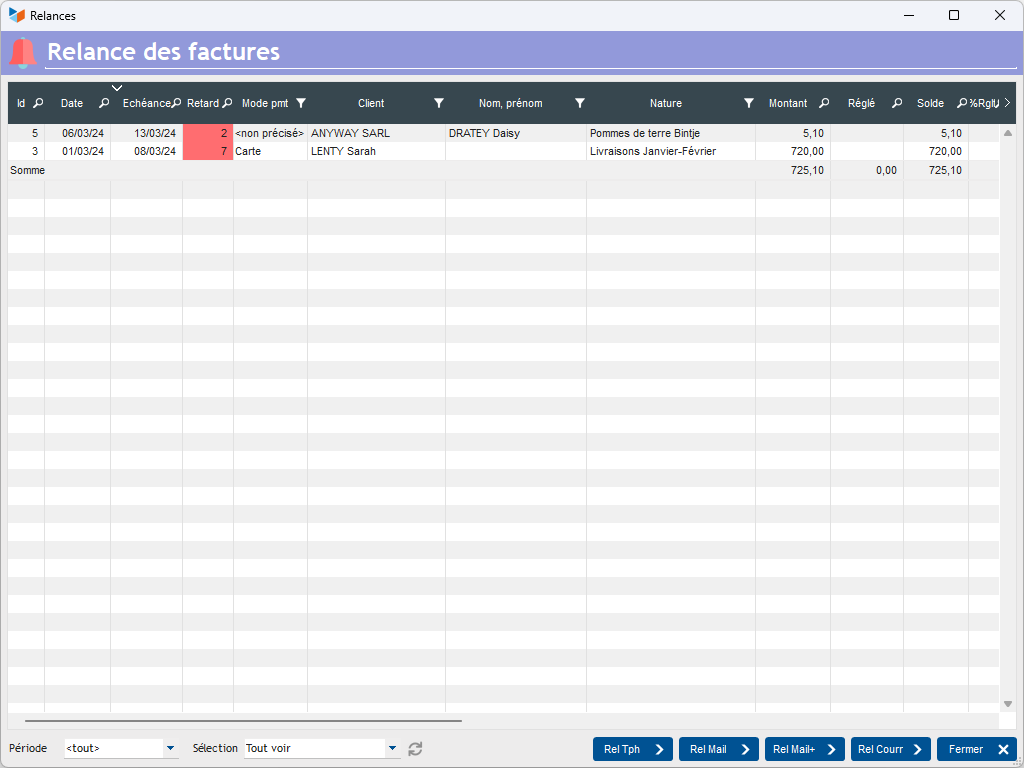
The screen displays a list of all invoices with the status code “To be dunned” within the period specified via the Period combo.
The Rel Tph button registers a telephone action in the customer file. The Rel mail button will generate a reminder e-mail, with retransmission of the invoice, while the Rel mail+ button will perform the same action, with a more insistent message. Finally, the Rel courr button triggers a letter.
At the end, the date of the last invoice reminder is updated, along with the number of reminders.
The following keywords can be used in standard messages:
- %NB_RAPPELS% : number of reminders
- %DT_LAST_REMINDER%: date of last reminder
Table context menu
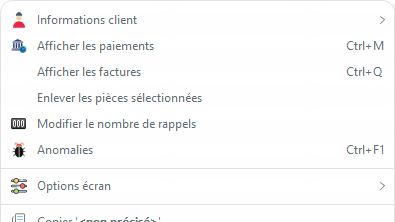
The Remove selected parts option removes parts from the table, but does not delete them from the database.
The option to display coins that are not yet due (normally, they are not yet to be dunned) also allows you to display coins that are not to be dunned, while it is possible not to display coins whose payment method is “direct debit”, since direct debit is due.
 Other “Customer Invoicing ” articles
Invoicing: common elements