Geographical allocation of contacts
Have you, as the new sales director, decided to reorganise the geographical areas assigned to sales representatives?
This screen is designed to manage this situation, allowing you to reallocate contacts based on postcode criteria.
Using the screen
//Access: Tools → Admin → Bulk Data Processing → Contacts → Reassign by region //
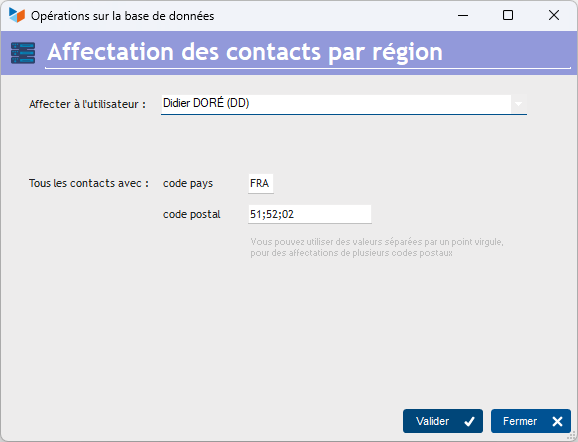
The drop-down menu Assign to user drop-down menu allows you to select the user to whom contacts matching the criteria will be reassigned.
The criteria are the country code or the postcode. You can enter multiple postcodes separated by a semicolon.
ℹ️ Other “Contacts” articles