Contacts: quick creation
 A1 proofreading not yet effective for this page. In the meantime, you can ask any questions on the forum.
When you are in the process of making a quote, an invoice, or any other part, the creation screen displays the list of contacts for whom you have made the same type of part for less than a year, as well as two options additional:
- <choose a contact>: which allows you to select from the list of contacts
- <quick creation>: which allows you to quickly create the contact if it is not already present in the main list.
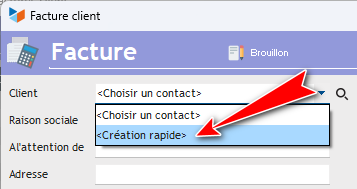
It is for this second option that this quick creation screen, very easy to use, is used.
Using the screen
When you arrive on the screen, your cursor is positioned in the Name box.
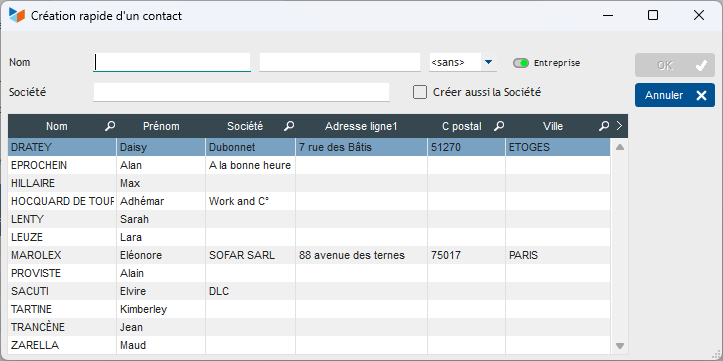
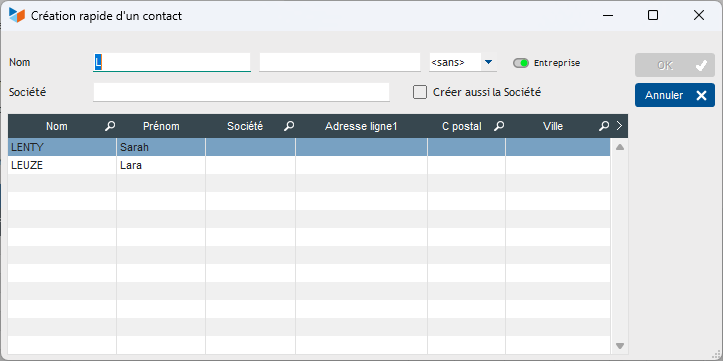
Each time you enter a letter, the names that are already recorded in your database are displayed in the table just below. If you already had the contact in the database, simply double-click in the table to take it into account.
If you move to the “First Name” box, for example with the “Tab” key and the “Last Name” box contains a name that is not already registered, the table disappears, and you can enter the other fields (Company, address, postal code and city).
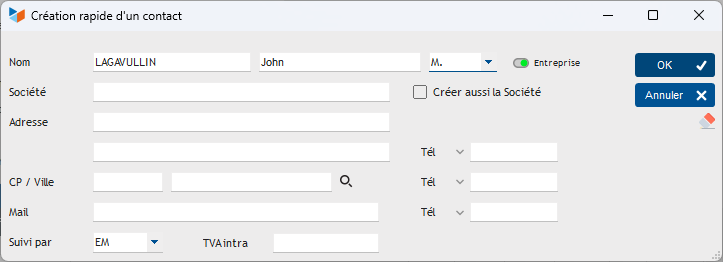
If you check the Also create company box, a company record will be created concurrently with the creation of the contact.
 The Company/Individual button is positioned by default according to the value you specified in the general configuration
The small eraser allows you to return to the initial state, with the table displayed.
 Other “Contacts” articles