Table des matières
Change history
 A1 proofreading not yet effective for this page. In the meantime, you can ask any questions on the forum.
For all files with an accounting impact (entries, and all documents - quotes, orders, invoices, etc.), Gestan automatically records any modifications made.
This functionality has been added to Gestan in compliance with the directives of article 88 of finance law n°2015-1785 which came into force on 01/01/2018.
History list
Access : Tools → Administration → History
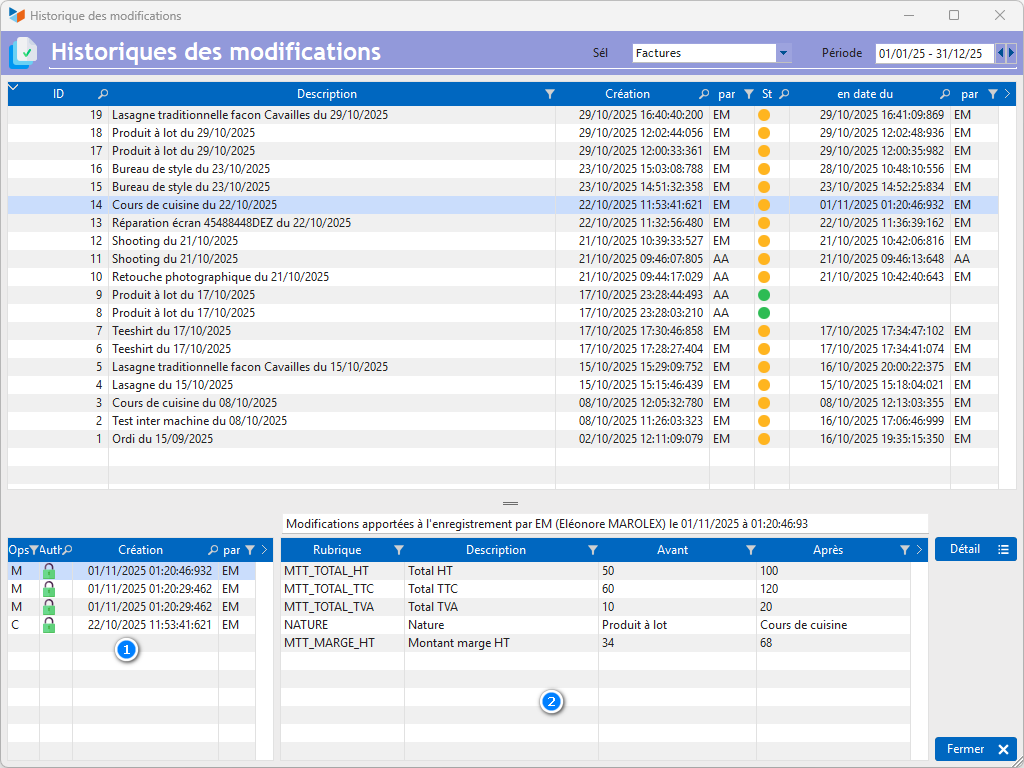
The Sél combo is used to select the file for which you wish to display the tracked changes.
Creations are recorded (C), as are modifications (M) and deletions (S).
Here, invoice 37 has undergone 4 successive modifications (M) since its creation (C), appearing in the 1 zone.
Clicking on a modification date-time in this zone displays the details in the 2 zone, item by item: here the amounts have been modified.
The Detail button displays the document lines (this button is not displayed for entries).
History list (details)
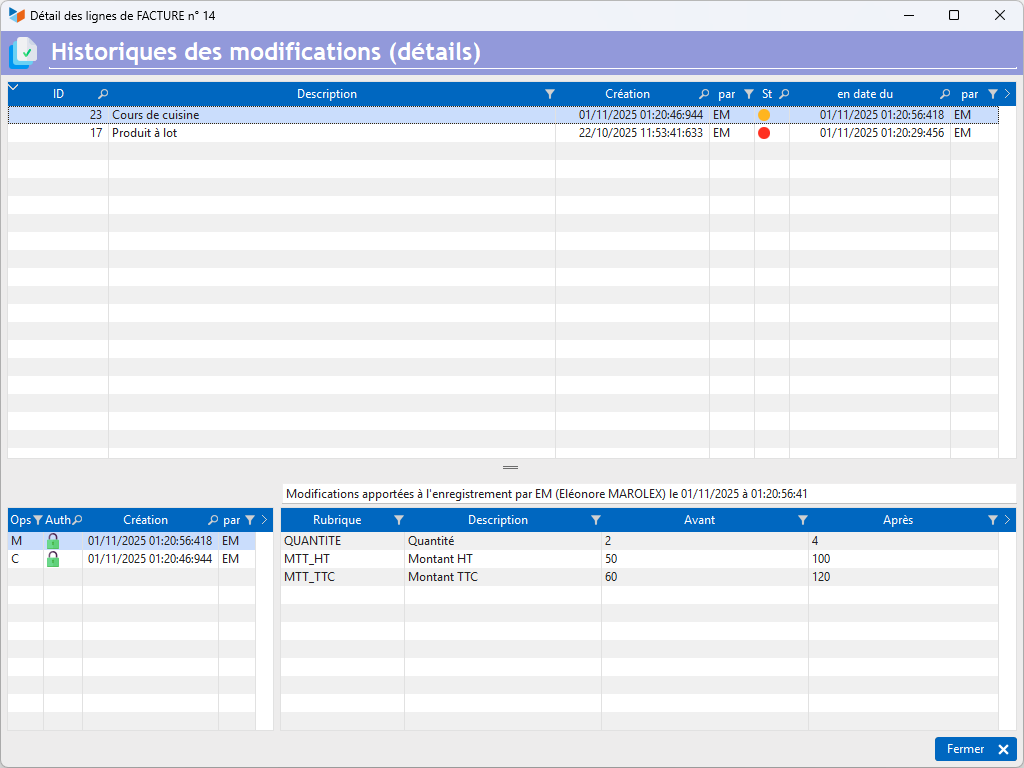
Here we see that line 79 of invoice 37 has undergone a modification (M) since its creation (C): the quantity of the item has changed from 3 to 4, modifying the amounts accordingly.
Reducing archive size
Records cannot be deleted from this file.
Also, for companies making numerous modifications to parts that may include images, it can become voluminous.
The database's minification program can then be used to delete records that have exceeded the legal archiving period (depending on your country), or to delete items with no accounting implications (images or comments).
 Other “Admin ” articles
Benchmark readings
Change history
Cleaning C/S connections
Customer account
Data audit
Deactivatable messages
Enterprise License
Free Gestan licenses
Gestan extensions
Installing Gestan
License extensions
Migrate your current ERP to Gestan
Multilingualism
Network Computers
Printing labels
Sessions
Test base