Digital certification of invoices
Do you want to issue digitally certified invoices? No problem with Gestan, even though it’s a process that requires some technical knowledge!
On this subject, here are two recommended articles:
Prerequisites
You must have a digital certificate.
To do this, you can either generate a certificate yourself or purchase one from one of the many available providers.
Next, you need to install your SSL certificate.
Configuration
Once the certificate has been installed, it will be visible via the general settings at Gestan.
Simply specify which certificate you wish to use via the Identity tab.
The result
In the status viewer, an icon will indicate that the SSL certificate has been successfully applied.
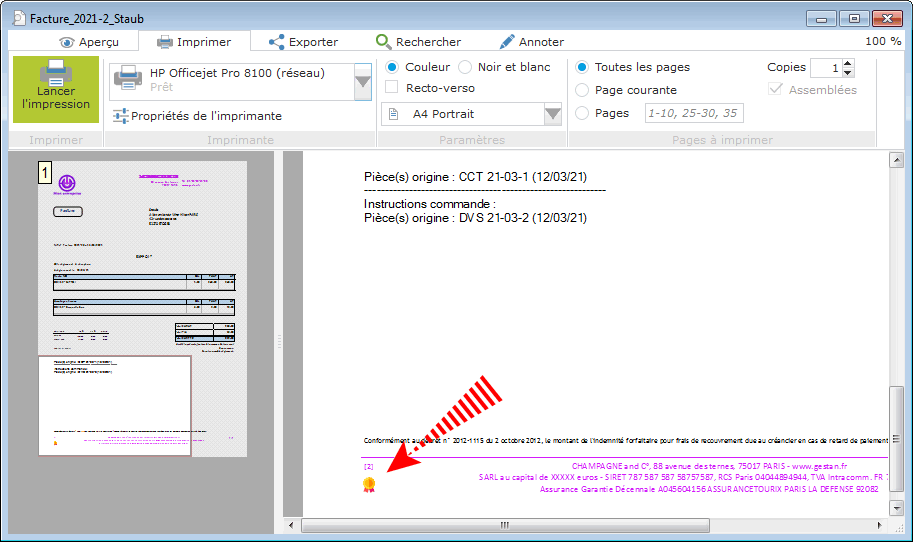
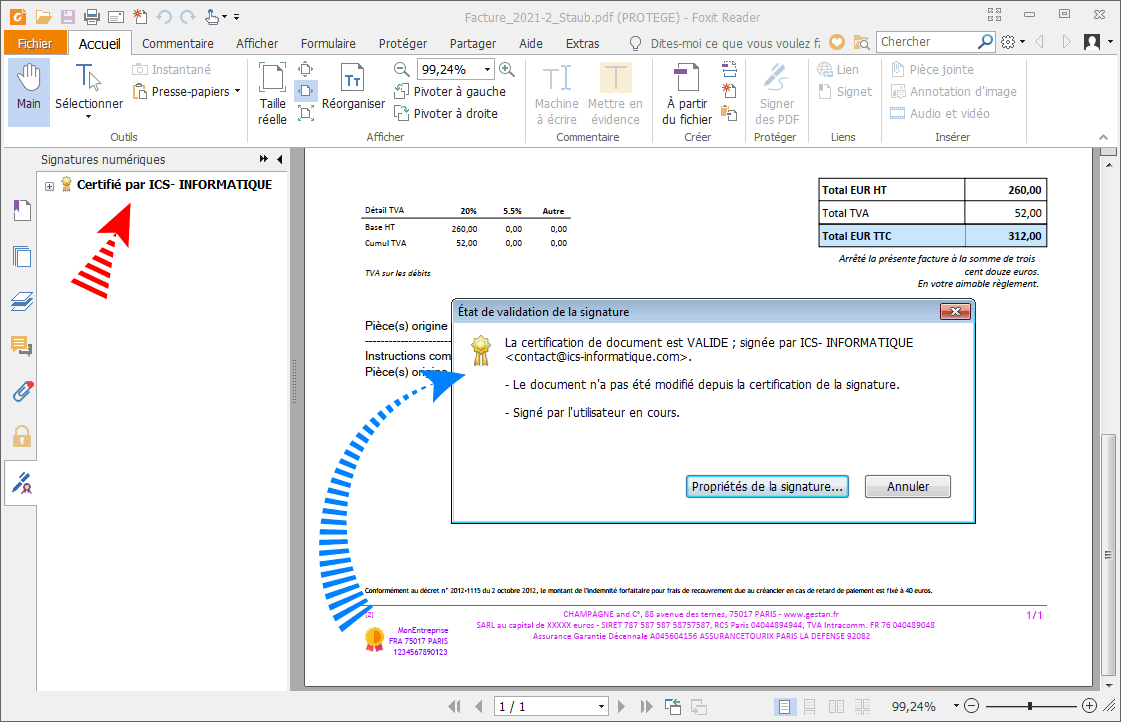
When you export the invoice as a PDF (or send it by email via Gestan), the signature will be generated and embedded in the resulting file.
This appears as a clickable area at the bottom of the first page, featuring the same icon.
Clicking on this signature displays its details.
 Other articles on “Customer Invoicing”
Invoicing: common elements
Cas concret : Intermédiation
Entêtes des pièces
Facturation : éléments communs
Factures : options spécifiques
Frais de port
Généalogie des pièces
Importer des lignes de pièce (tableur)
Liaisons des pièces
Ligne pourcentage
Livraison partielle
Numérotation des factures
Optimiser les achats
Retenues de garantie *
Surtaxes nationales
Tri des lignes de pièce
Invoicing: Customer invoicing
Bons de livraison (BL)
Certification numérique des factures
Commandes client
Devis
Echéancier de facturation
Factur-X, PEPPOL
Facturation client : éléments communs
Facturation horaire
Factures client
Factures d'acompte (France)
Factures d'avancement
Feuille de marge
QR-Facture
Relance des factures
Suivi détaillé des commandes client *