Corporate identities
 A1 proofreading not yet effective for this page. In the meantime, you can ask any questions on the forum.
Your company may market products under several brand names, grouped together under the same corporate entity.
Part numbering is not dependent on commercial identity, and remains unique for the entire database.
Using the screen
Access: From the Commercial identities link-button in the entreprise tab of the general settings
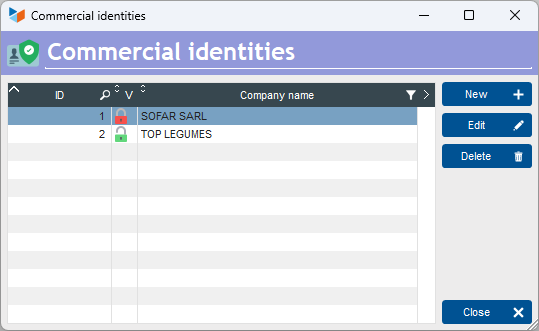
The list screen displays the list of available corporate identities.
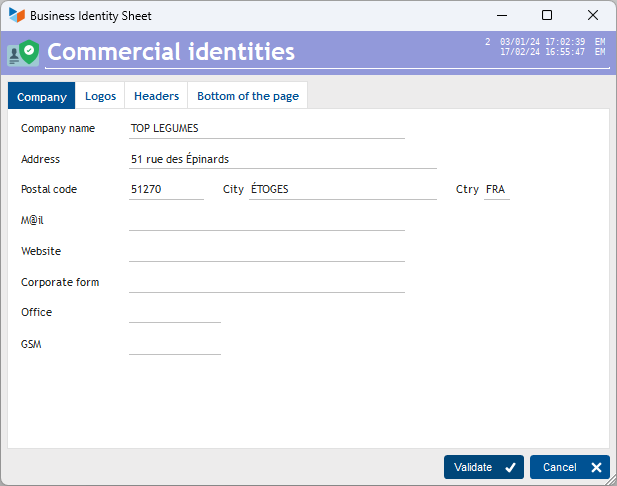
On the form screen, you can enter a number of Gestan's general parameters.
For example, you can enter :
- a different address
- different logos
- different colors
- different part labels.
These elements will be printed on the parts for which you have specified this corporate identity.
Selecting a commercial identity for a part
On the invoice list screen (or quotations, BL, etc.), in the options screen accessible via the table's contextual menu, it will be possible to specify the commercial identity under which the invoice is to be issued.

 Other “Parametrage ” articles
Context menu
Corporate identities
General settings: Actions / Interventions / Projects
General settings: Computer
General settings: Contacts
General settings: Machines
General settings: Miscellaneous
General settings: Products/Stocks
General settings: Quotes, Invoices...
General settings: The company
Logo and slogan
Part headers
Replacement reports and windows
Sending text messages
Virtual printer