Table des matières
Posting entries
Posting entries is automatic in Gestan: even if you are not familiar with the principles of double-entry bookkeeping, or thenames of the accounts to be credited or debited, you will still be able to make correct accounting entries.
The accounting data can be sent to your accountant in the native format of their software. The accuracy of how entries are allocated to accounts depends on the accounting settings: it is recommended that you configure these settings in consultation with your accountant, so that they do not need to make any changes to the entries sent.
Below are the principles for posting entries using Gestan.
Initial data
The invoice
For this example, we will use the invoice for 100 euros shown below.

Accounting settings
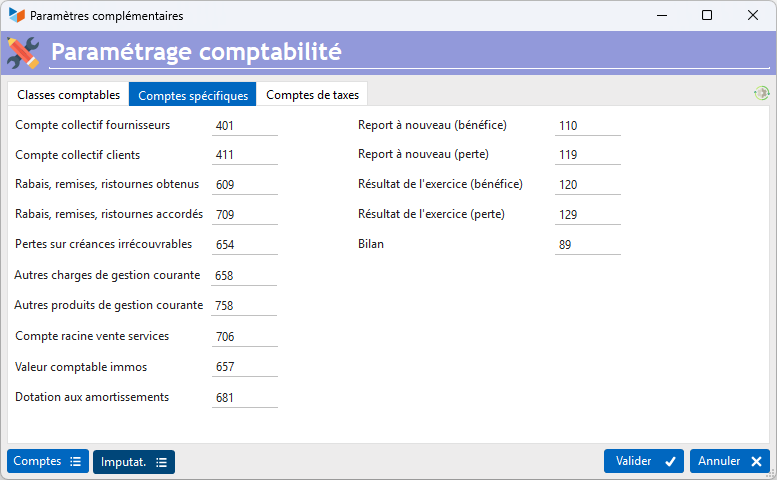
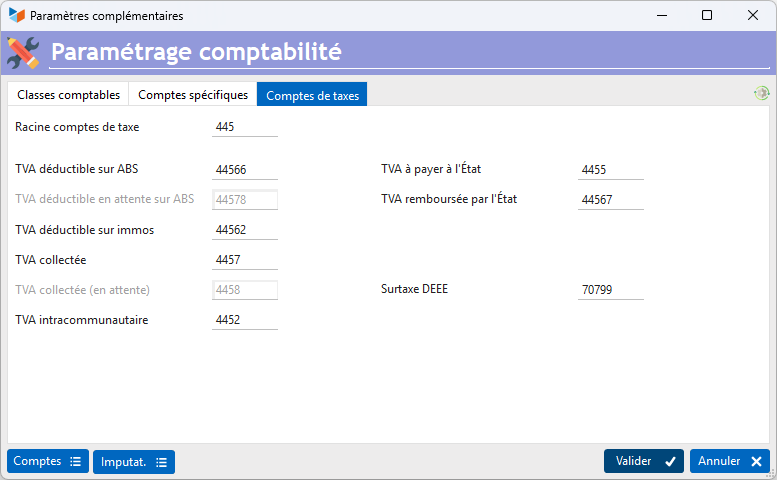
Here are the ‘default’ accounting settings.

Here, the settings specify that sales will be allocated by default (if no other accounting link exists) to the finished goods sales account, which is linked to account 701 via the account assignments (see below).
The bank account
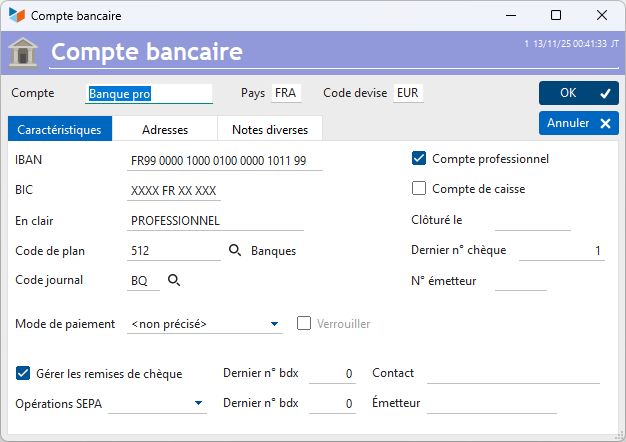
Here is the bank account we will be working with:
Account assignments
The Accounting entries account assignments, in Gestan, allow you to link a clear description to the corresponding accounting codes. For example, the account code ‘Restaurant expenses’ can be linked to the ‘Expenses’ account 6257 and the contra account 401 (supplier summary account), and tracked in the purchases journal.
Correct configuration of account assignments is essential for the proper allocation of journal entries to the relevant accounts.
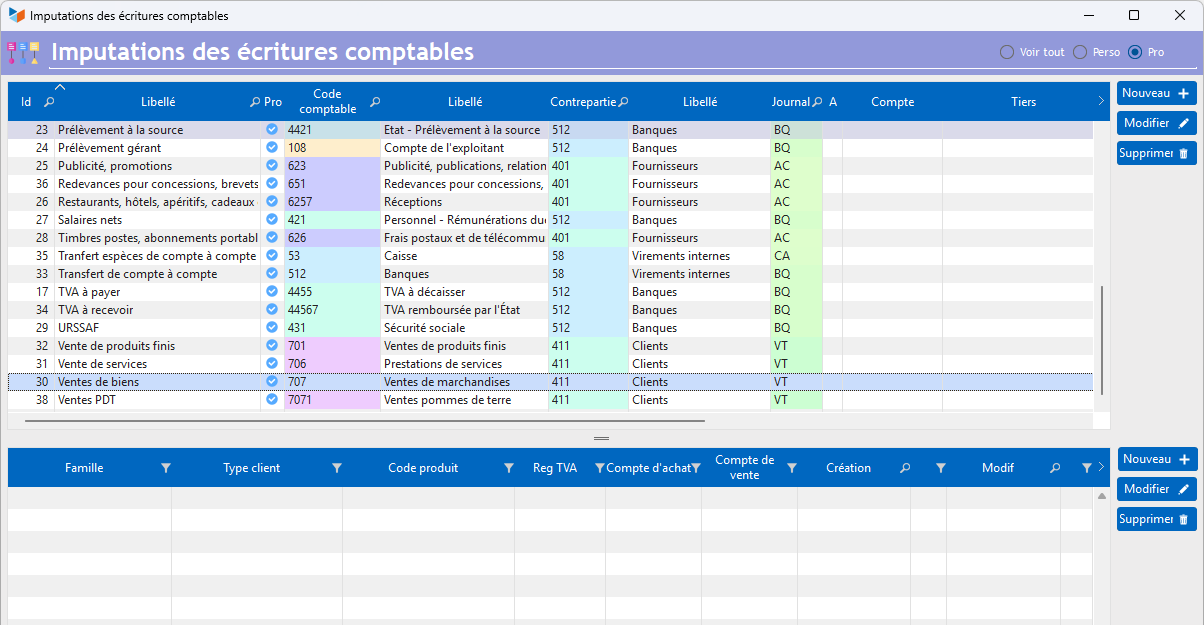
For example, the account code “Sale of goods” will be classified under account 707 (whereas sales of finished goods will be under 701).
VAT rates
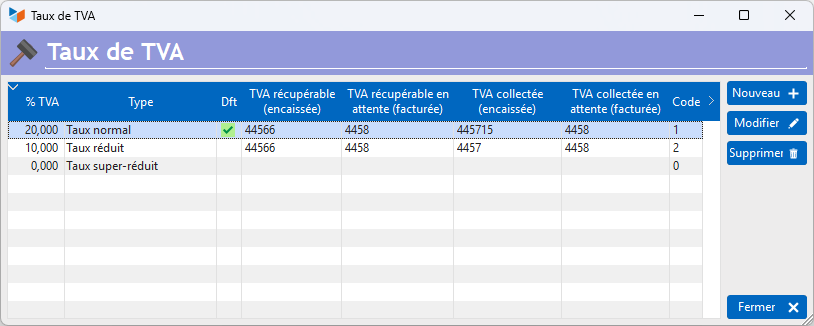
It is possible to assign an account to each VAT rate:
Default allocation (before payment)
When an invoice is created, it is automatically allocated to the default revenue account – in this case, account 707 “Sale of goods” – if there are no accounting links for the items it comprises.
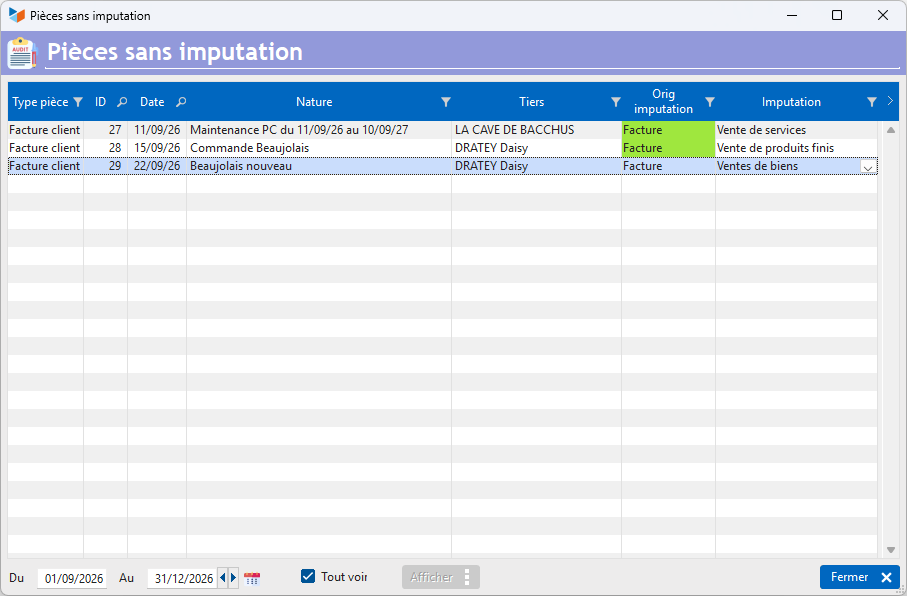
At this stage, we can see that our invoice is categorised as “Sale of goods” via the default account allocation.
Here is the accounting journal for the day.
VAT on debits
Under the VAT on debits scheme, we have:
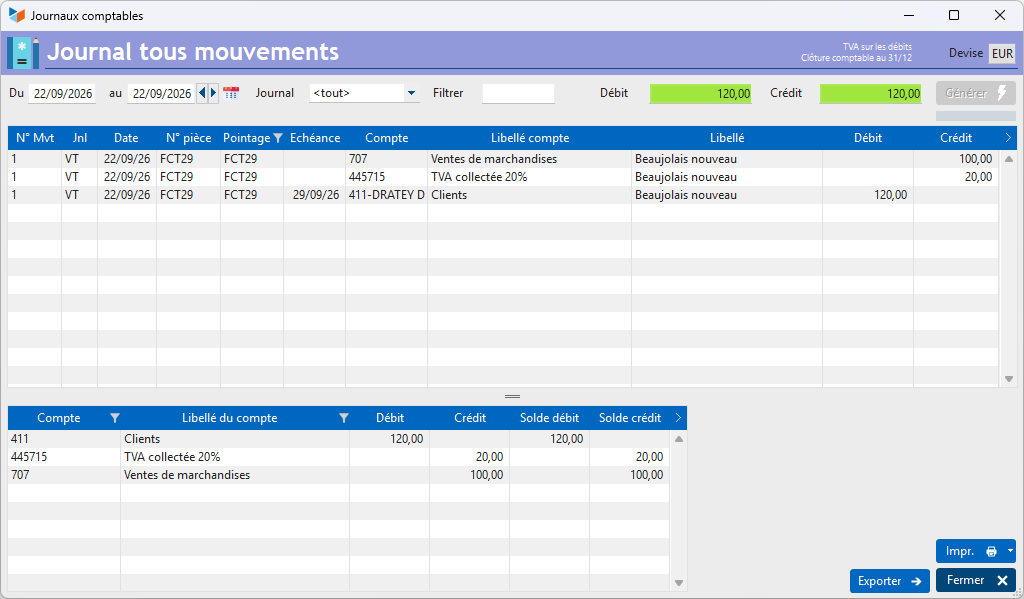
- a sale excluding VAT posted to account 701, and an entry including VAT posted to account 411 due to the invoice’s default account assignment, “sale of finished goods”
- the VAT amount will be posted to the input VAT account 445715, as defined in the general accounting settings
VAT on receipts
Under the VAT on receiptsscheme, VAT is payable upon settlement. We have:
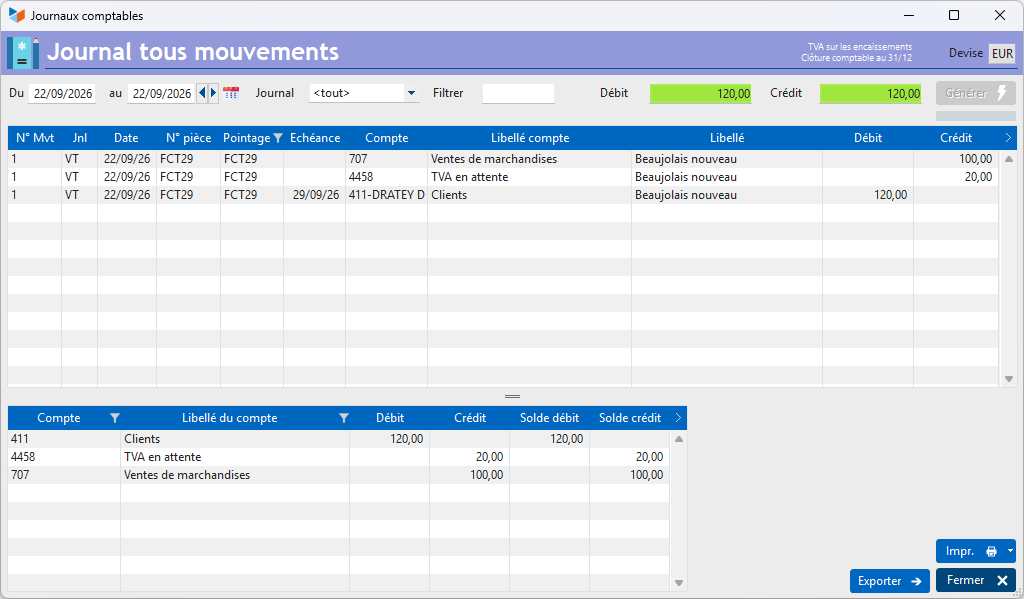
- a sale excluding VAT posted to account 707, due to the invoice’s default account allocation, ‘sale of goods’
- a posting including VAT to the customer summary account 411, again due to the account allocation ‘sale of finished goods’
- the VAT amount will be posted to the pending VAT account 4458, as defined in the general ledger settings
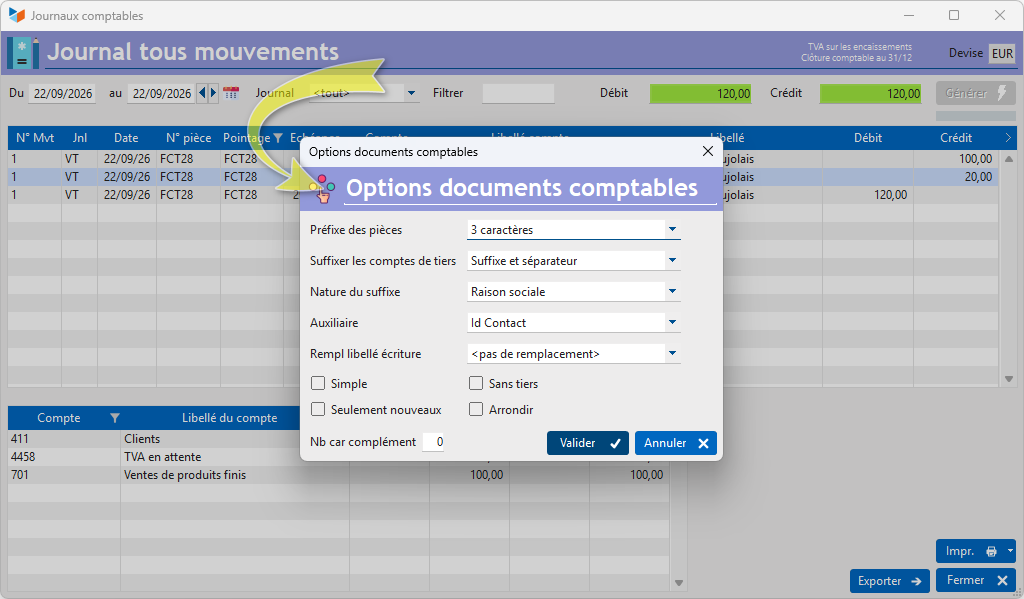
 In the data, third-party accounts are suffixed with details identifying the third party, via the generation options available in the screen’s context menu.
Default allocation (after payment)
Let us now proceed to settle our invoice.
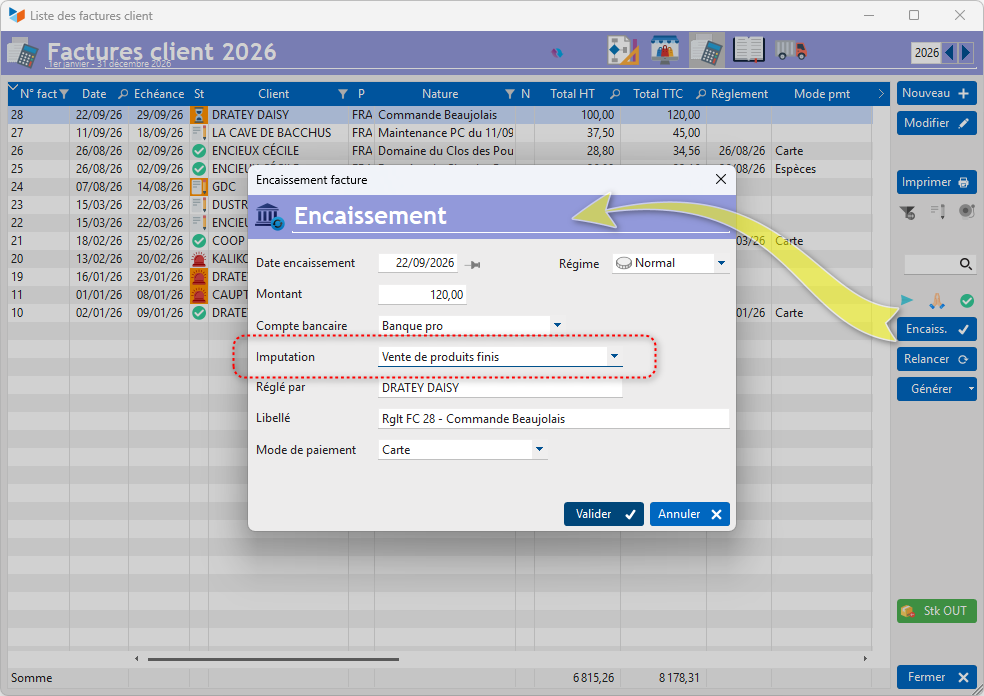
We can specify that this sale is a sale of finished goods via the payment allocation.
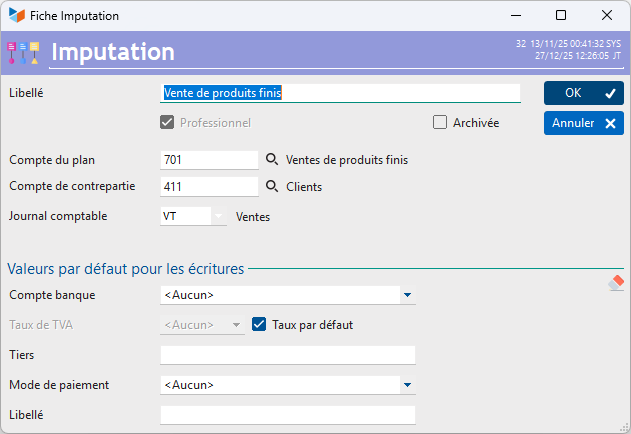
This allocation is linked to account 701, with account 411 (customer collective account) as the offsetting entry.
VAT on debits
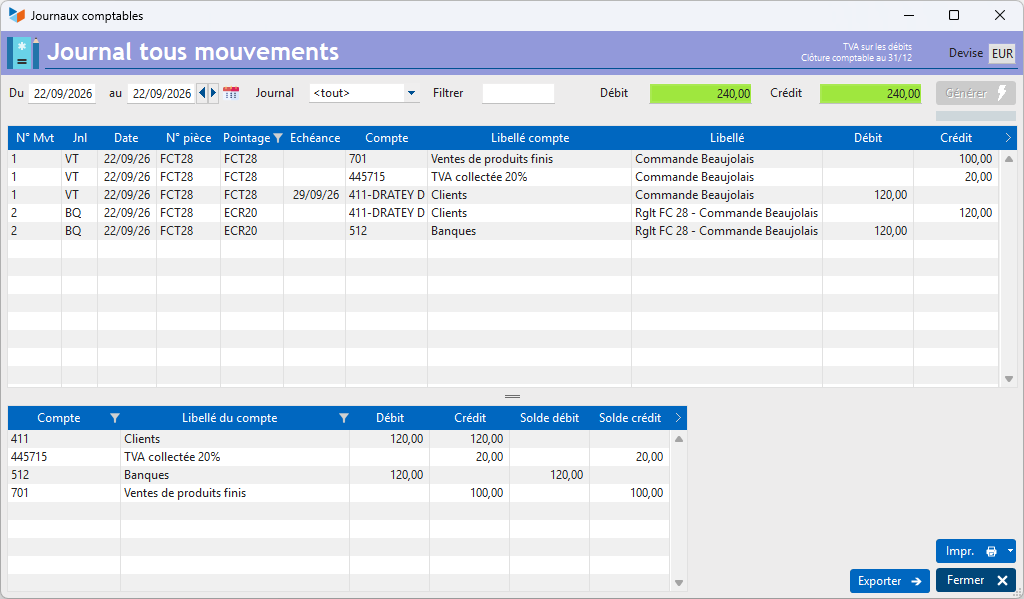
We will now find this sale not under account 701, but under account 707 (linked to the account assignment ‘sale of goods’): the account assignment in the journal entry, if different, takes precedence over the invoice’s account assignment.
VAT will be posted to the account configured for the VAT rate, in this case 44715.

The bank entry is posted to account 512 and to the BQ journal, both of which are linked to the bank account we have used (it is therefore possible to define a specific account and journal for each bank account).
VAT on receipts
Under this scheme, our sale is also posted to account 701, but the VAT portion of the sale is posted to the VAT suspense account.
The VAT portion of the entry affects two accounts: the pending VAT collected account (4458), debited on the invoice date, and the VAT collected account (4457), credited on the payment date (according to the default settings).

Using two separate accounts provides a clearer overview of:
- the VAT you have invoiced (VAT collected pending)
- the VAT you have received and owe to the government (VAT collected)
Using accounting links
The accounting links allow you to drill down further into the accounting classification by establishing an accounting allocation link between a product family or a product and a purchase or sales account.
Let’s define an accounting link for the relevant product (or its family), as shown below.
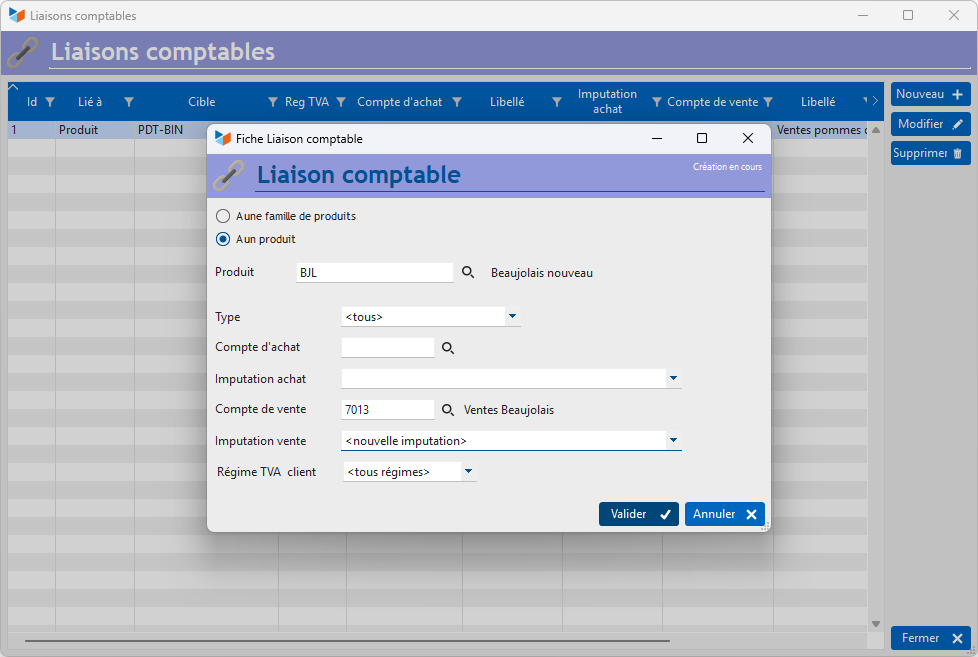
The result will be that all sales of the product are allocated to account 7013.
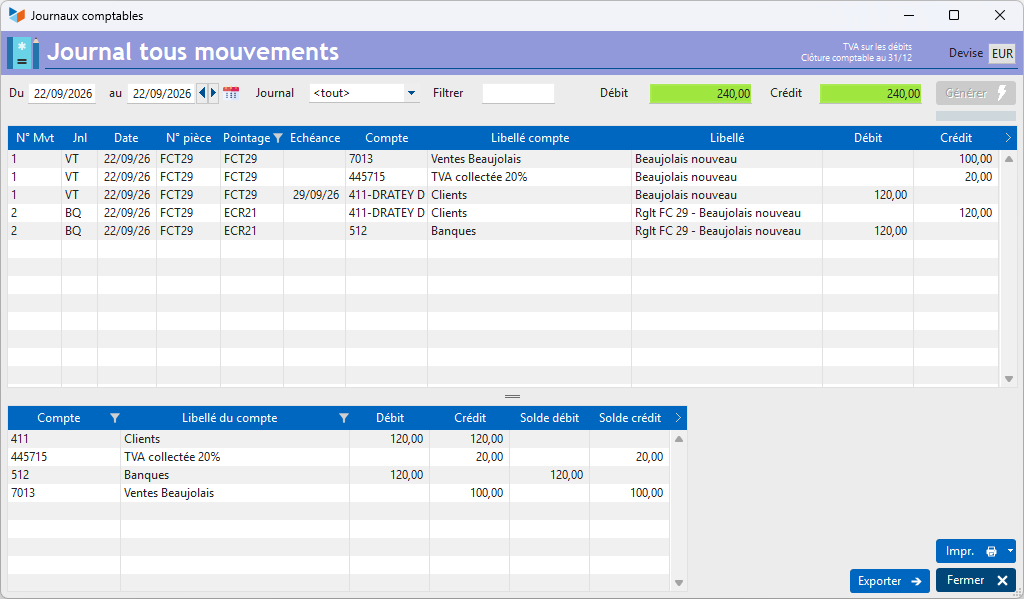
The accounting link takes precedence over the account used for allocation, whether before or after settlement.
Transactions not linked to a purchase or sales document
It is possible to record cash receipts or payments in Gestan that are not linked to a purchase or sales document.
This is often the case for overheads: when you pay for a rubber, you record the corresponding outgoing payment directly, rather than first recording the supplier’s invoice for the rubber and then its payment.
For example, here is the entry for a payment of 3 euros for an eraser, paid on the same day by credit card.

This cash outflow will result in several journal entries:
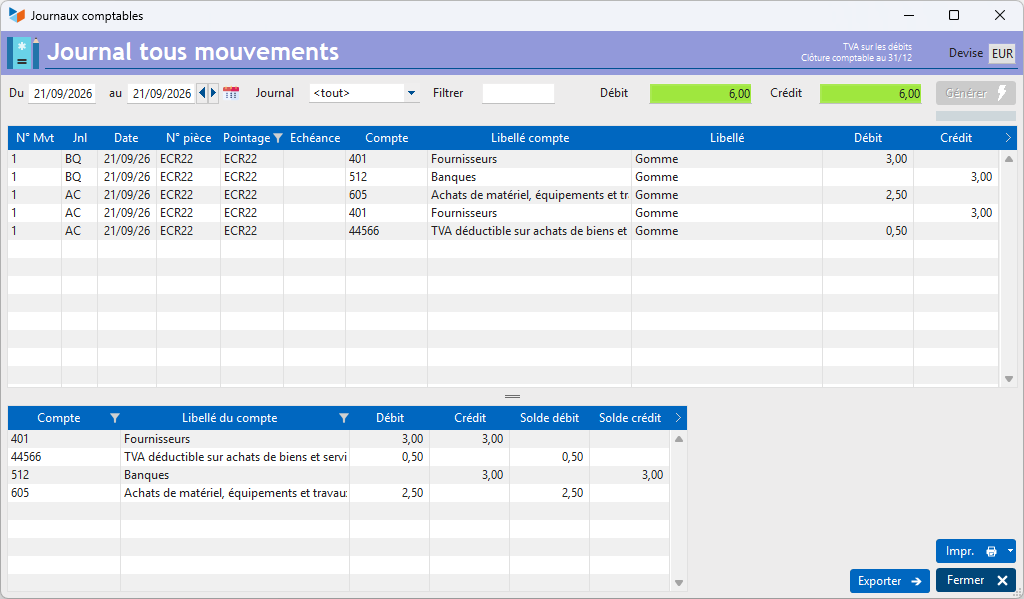
In the purchases journal (AC), three entries:
- a credit to the suppliers’ summary account (401) for the total including VAT,
- a debit to the input VAT account for the amount of VAT
- a debit to the purchases account (605) for the amount excluding VAT
In the bank journal (BQ), two entries:
- a debit to the suppliers’ collective account for the total amount including VAT
- a credit to the bank account for the total amount including VAT
Other types of entries are also possible; you simply need to set up the required account allocations in advance.
As a reminder, purchase or sales documents are only posted if they are no longer in ‘draft’ status. The same applies to statistical analyses: documents in ‘draft’ status are not included in the statistics, unless expressly requested otherwise.
ℹ️ Other ‘Accounting’ articles
Arrêtés de TVA
Balance
Balance tiers
Calcul de la TVA
Certification des logiciels de caisse
Clôture comptable / Exercices comptables
Comptabilisation des DEEE
Comptabilisation des écritures
Comptabilité avec Gestan : principes de base
Comptabilité en partie double
Compte bancaire et de caisse
Compte de résultat
Créances irrécouvrables
Encaissements/Décaissements
Export CFONB
Export SEPA
Export XIMPORT des données comptables
Facturation par taux de taxe
Grand Livre
Immobilisations
Imputations comptables
Journal
Journaux comptables (codes)
Lettrage
Liaisons comptables
Liaisons en masse : écritures
Micro-Entreprise / Auto-Entreprise
OD (opérations diverses)
Options des documents comptables
Paramétrage comptabilité
Pièces sans imputation
Plan comptable
Pointage TVA
Produits et Charges
Rapprochement bancaire
Relevés de compte bancaire
Remise de chèques
Revue des écritures
Soldes de gestion
Taux de TVA
Ticket Z
Trésorerie prévisionnelle *
Trésorerie simplifiée
Ventilation des factures par échéances
Ventilation des écritures
Ventilation détaillée par taux de taxe