Bank reconciliation
Bank reconciliation, or ‘checking’ the entries, involves verifying, when the bank provides a statement, that the incoming and outgoing transactions recorded by the bank have indeed been entered in the accounts. This is one of the essential requirements for maintaining a strictly accurate account.
Carrying out bank reconciliation
Recording your first account statement
Access: Accounting → Receipts and Payments, then the button Reconcile button in the list of entries.
Let’s say you start your business in February: you’ve received payment of 120 for an invoice into your account and purchased 24’s worth of supplies.
At the end of the month, your bank issues a statement for your current account covering the past period.
To record this first statement, open the list of entries, and click the Reconcilebutton.
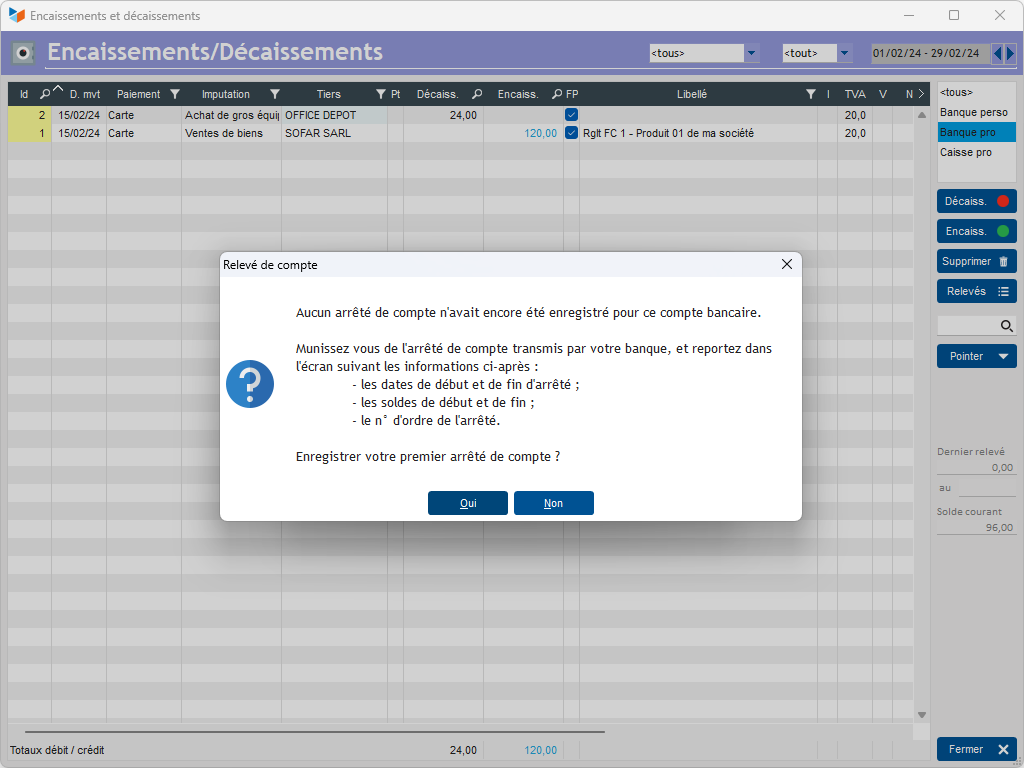
You can then enter the end date of your account statement and the closing balance.
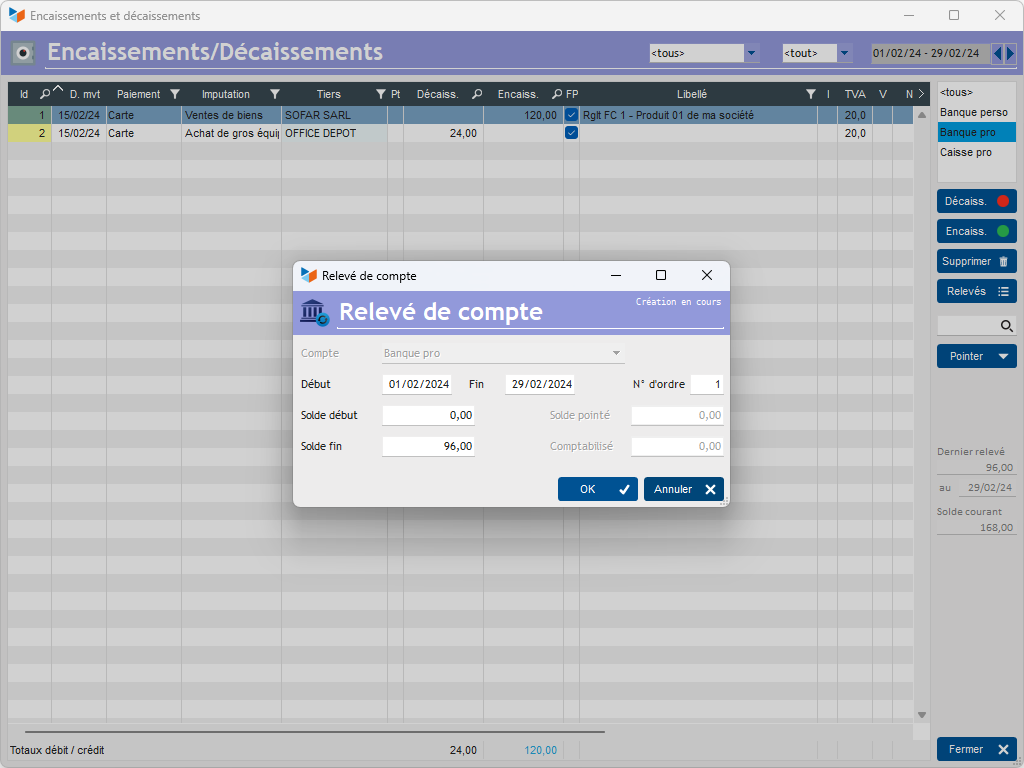
The end date is shown on your bank statement. The closing balance, assuming we had a previous balance of 0, is now 120–24, which is 96.
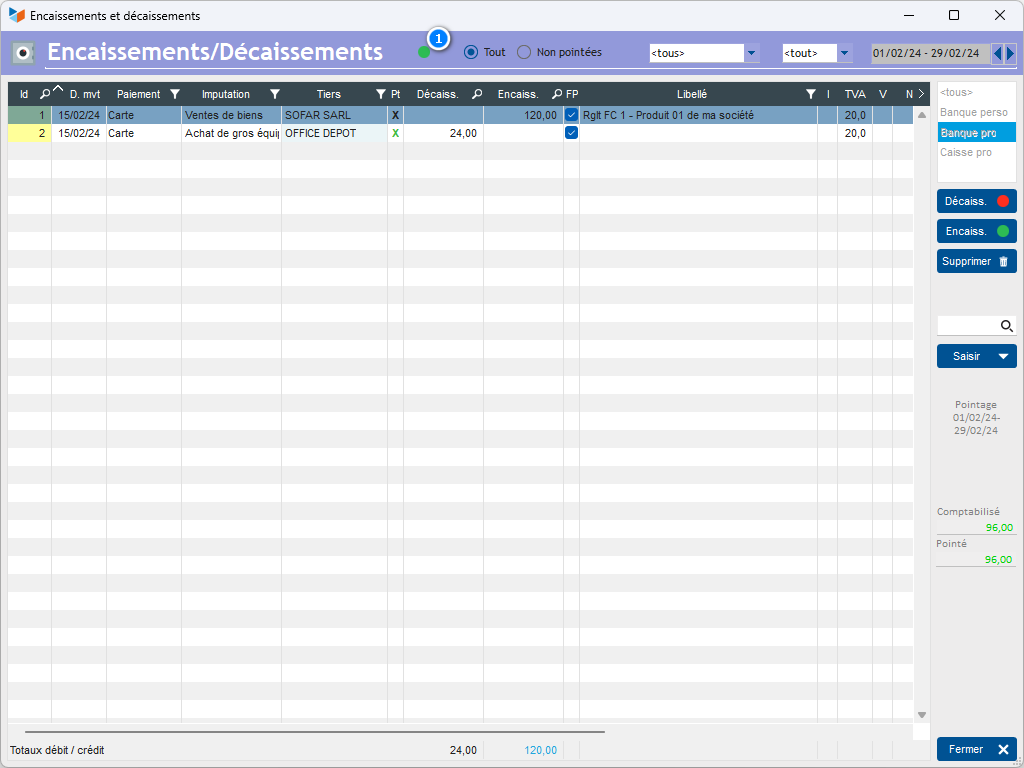
Now reconcile each entry by simply double-clicking on the entries in the list that you can see appear on the statement provided by your bank.
Once you have reconciled these two entries, the 1, which was flashing red, will change to a steady green.
Recording the following account statements
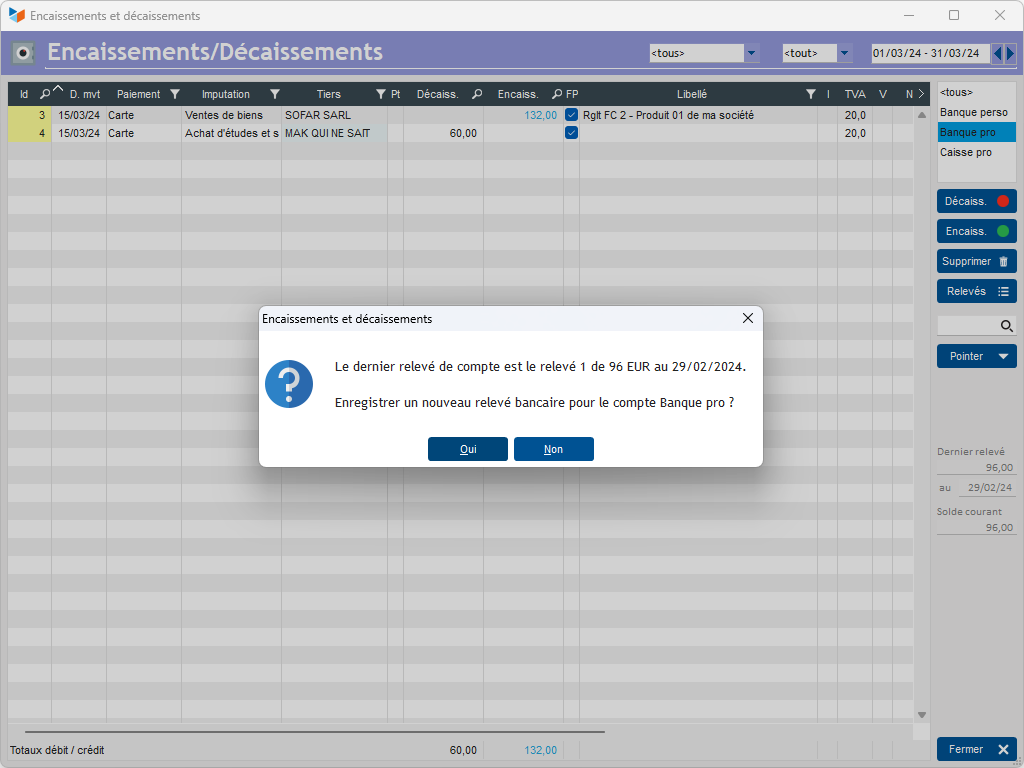
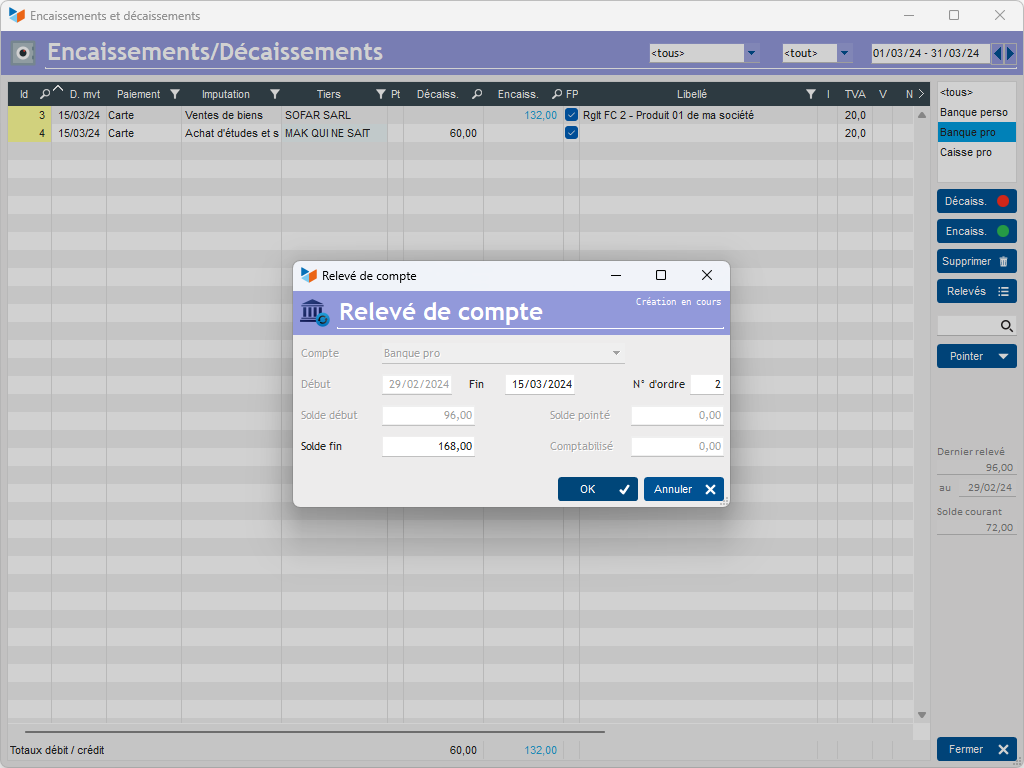
In the following month, you receive 132 in payments and incur 60 in expenditure.
When you return to the reconciliation mode, Gestan will prompt you to record your second account statement.
Checking balances
Once the reconciliation of your entries is complete, the ‘Statements’ button in the journal entry list opens the list of bank account statements.
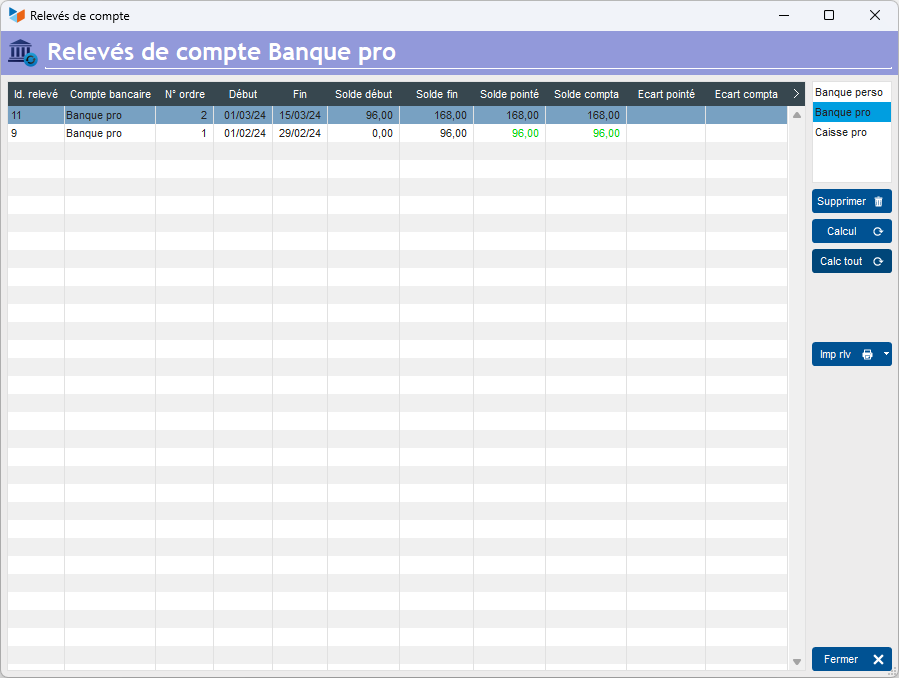
In this case, everything is correct: both the reconciled discrepancy and the posted discrepancy are zero.
On this screen, when the screen first appears, the balances are automatically recalculated for the latest bank statement.
The Calculate button allows you to recalculate the values for the selected bank statement, whilst the Recalculate All button allows you to recalculate all account statements for the selected account.
ℹ️ Other ‘Accounting’ articles
Arrêtés de TVA
Balance
Balance tiers
Calcul de la TVA
Certification des logiciels de caisse
Clôture comptable / Exercices comptables
Comptabilisation des DEEE
Comptabilisation des écritures
Comptabilité avec Gestan : principes de base
Comptabilité en partie double
Compte bancaire et de caisse
Compte de résultat
Créances irrécouvrables
Encaissements/Décaissements
Export CFONB
Export SEPA
Export XIMPORT des données comptables
Facturation par taux de taxe
Grand Livre
Immobilisations
Imputations comptables
Journal
Journaux comptables (codes)
Lettrage
Liaisons comptables
Liaisons en masse : écritures
Micro-Entreprise / Auto-Entreprise
OD (opérations diverses)
Options des documents comptables
Paramétrage comptabilité
Pièces sans imputation
Plan comptable
Pointage TVA
Produits et Charges
Rapprochement bancaire
Relevés de compte bancaire
Remise de chèques
Revue des écritures
Soldes de gestion
Taux de TVA
Ticket Z
Trésorerie prévisionnelle *
Trésorerie simplifiée
Ventilation des factures par échéances
Ventilation des écritures
Ventilation détaillée par taux de taxe