Automatic accounting allocations
With Gestan, the accounting classification of journal entries is straightforward and automatic.
For example, if you have recorded the payment of an invoice, Gestan will automatically generate (depending on your settings):
- a debit entry to the customer summary account (411), balanced by an entry to the revenue account (701) and an entry to the input VAT account (4457) to account for the sale
- a credit entry to the customer summary account (411), balanced by an entry to the bank account (512) to record the payment.
All this without any prior accounting training required.
This automatic posting is carried out via the configuration of account allocations, VAT codes and accounting links where necessary. We recommend carrying out this configuration in collaboration with your accountant, so that they do not have to reclassify any entries.
This page explains the logic behind the accounting settings in Gestan.
Accounting processing of a single invoice payment
Here is the journal entry for an invoice for EUR 100 (excl. VAT) dated 25/04, paid the very next day.
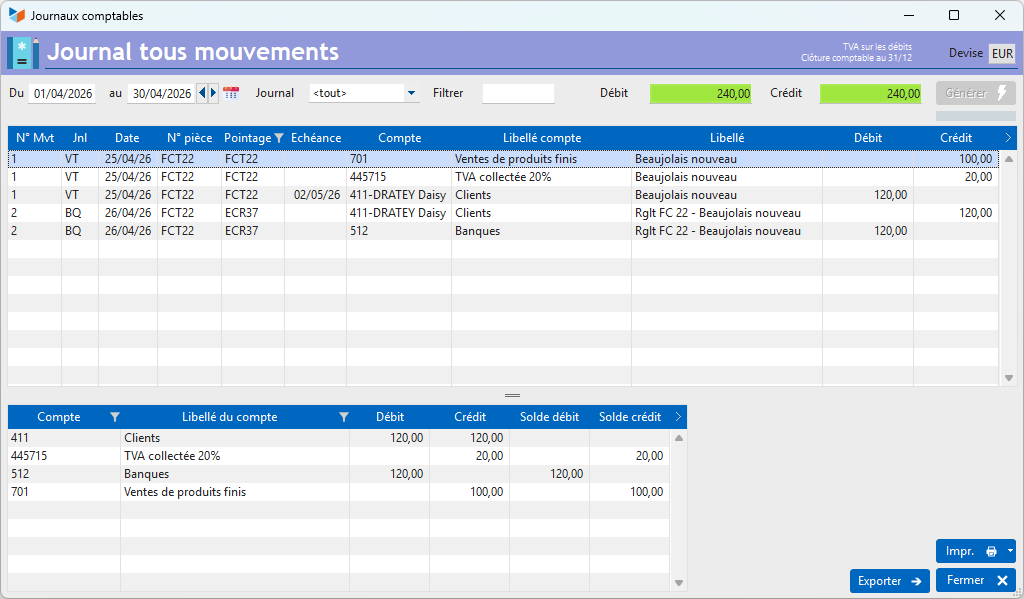
Sales entry to the revenue account
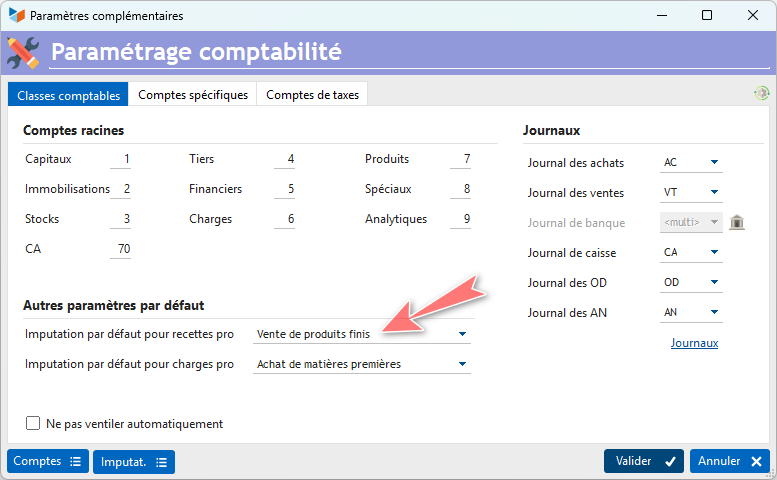
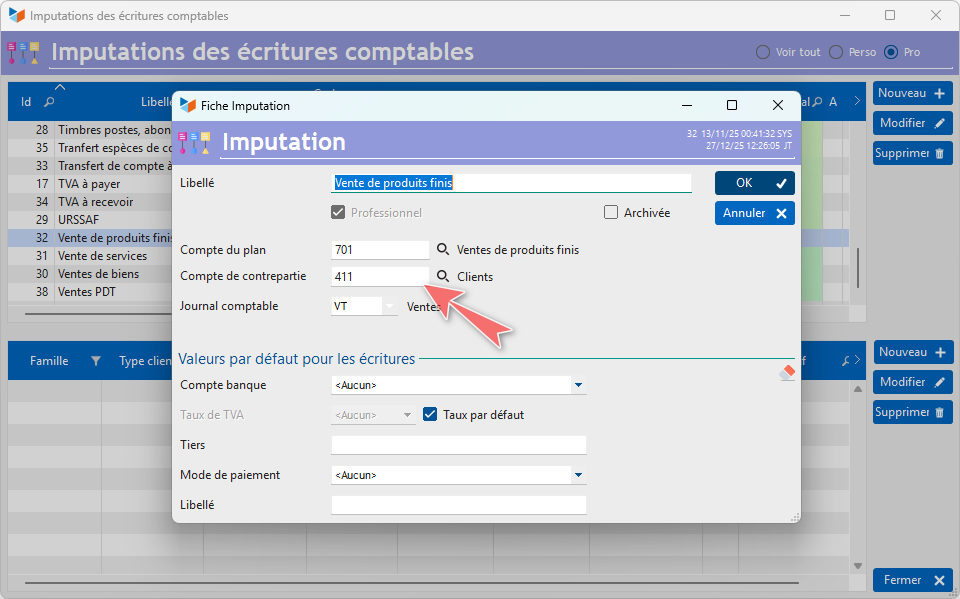
The first line credits account 701 in the sales journal (VT). This account is determined by the default allocation of revenue in the accounting settings:
And this allocation is linked to accounting codes 701 and 411, and to the sales journal, via the allocation settings.
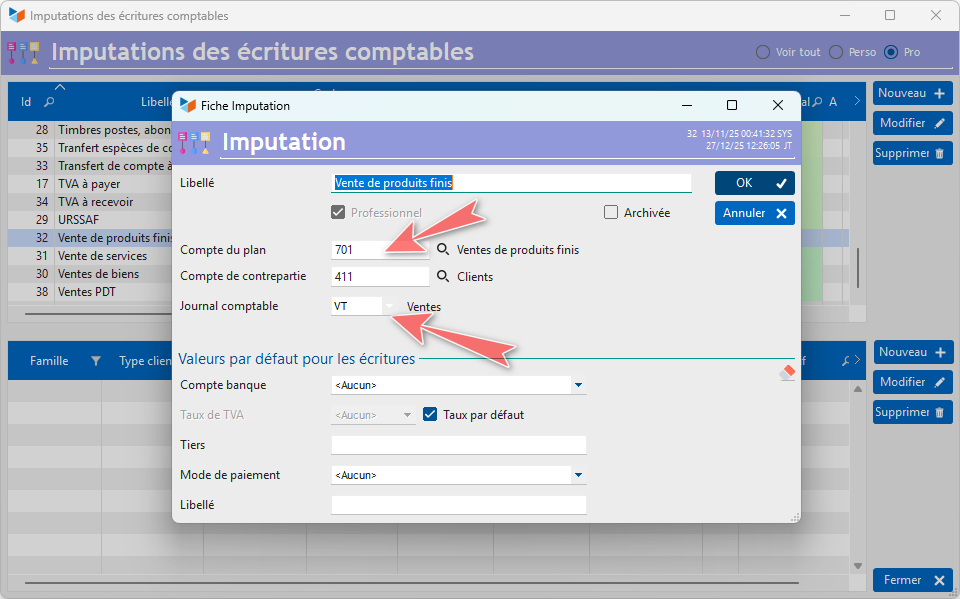
This is the default classification. Using the accounting links, it is possible to define an accounting allocation by product family or by product.
Sales entry for input VAT
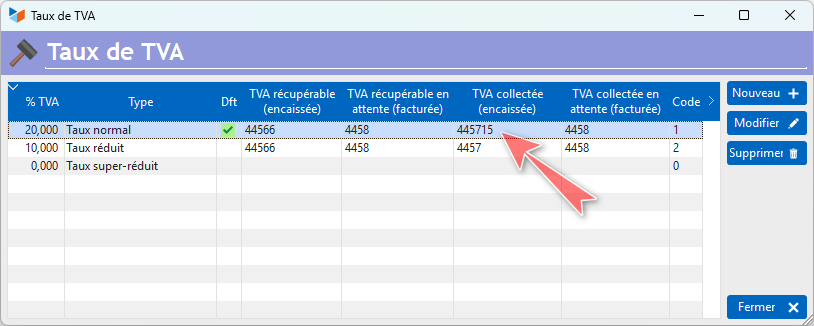
In our example, the input VAT is posted to account 445715.
This account is configured via the VAT rates screen, which allows you to define an account for each rate.
Sales entry to the customer summary account
The sales entry is posted to the customer summary account (411), again via the corresponding account allocation settings.
♦️ Here, this entry in the third-party account is suffixed with the customer’s name (411-DRATEY Daisy): this format is determined by the settings on the accounting screen.
Settlement entry in the customer summary account
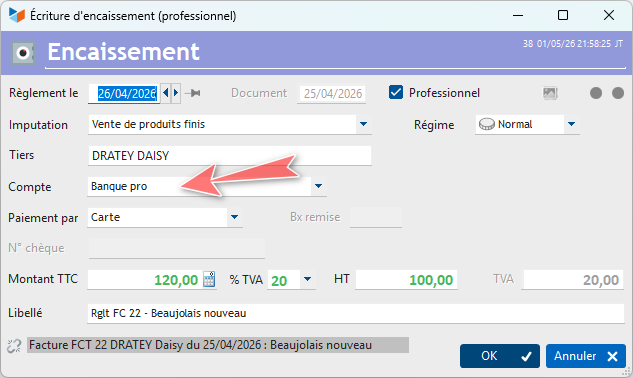
The settlement entry is posted to the customer suspense account (411), which is also determined by the account allocation settings described above.
It is allocated to the bank journal (BQ), as the transaction was processed via the bank account.
And this bank account is linked to the bank journal (BQ).
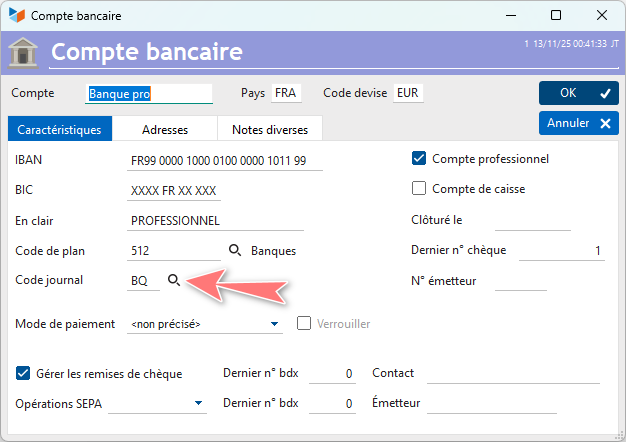
♦️ It is possible to define a journal for each bank account.
Settlement entry on the bank account
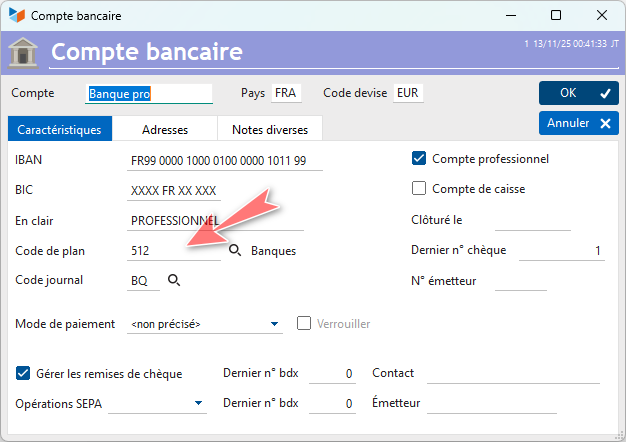
Finally, the settlement entry is posted to the bank account (512), which is also determined by the bank account settings.
Using accounting links
This simple configuration enables straightforward bookkeeping.
However, once the business reaches a certain size, it is worth setting up Gestan for a more detailed accounting analysis, broken down by business sector.
For this example, let’s imagine that the business owner wishes to analyse sales of Beaujolais Nouveau and Bordeaux wines separately. The accounting journal entry for a settled invoice including both Beaujolais and Bordeaux will be as follows:
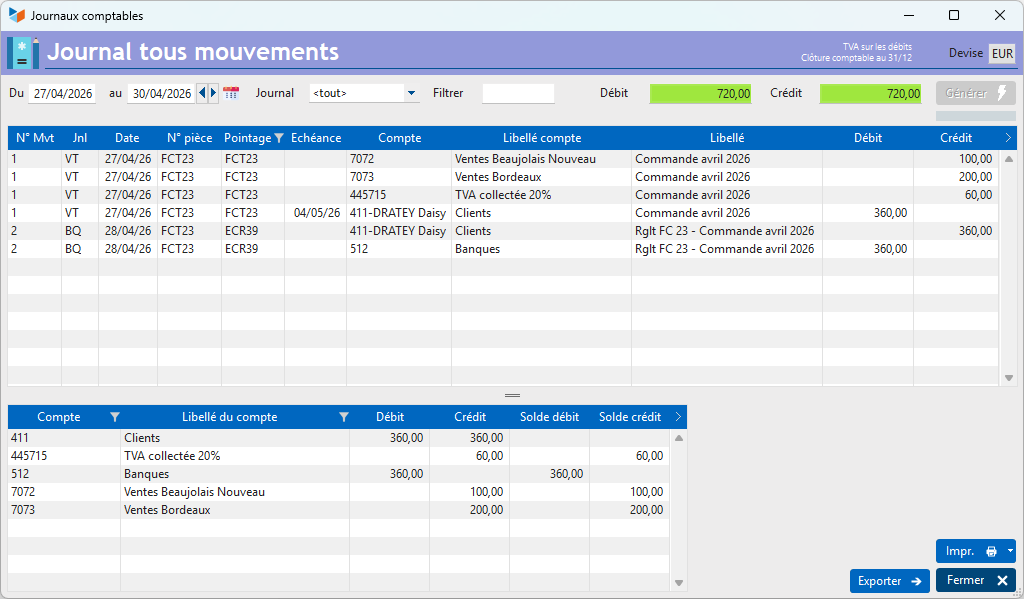
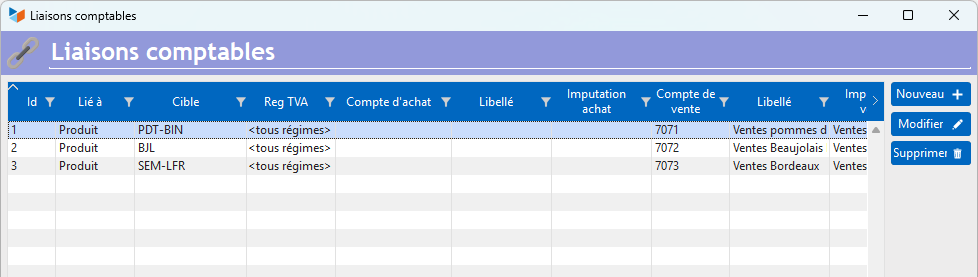
To do this, two accounting links must be set up: one for the Beaujolais to a dedicated account (7072), and the other for the Bordeaux to another dedicated account (7073), as shown below.
When the invoice is paid, the payment allocation will display ‘Split entry’, as Gestan has detected that the payment must be allocated to different accounts.
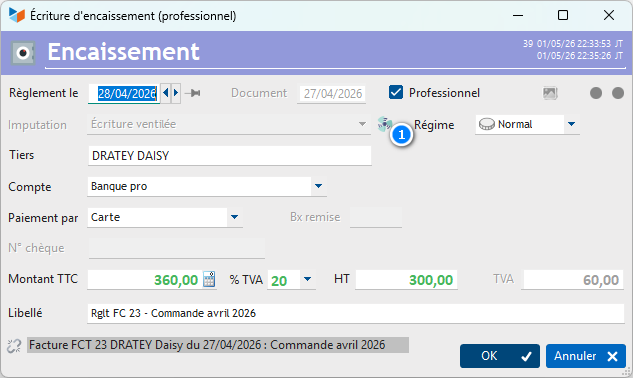
The button 1 allows you to view the breakdown of the entry.
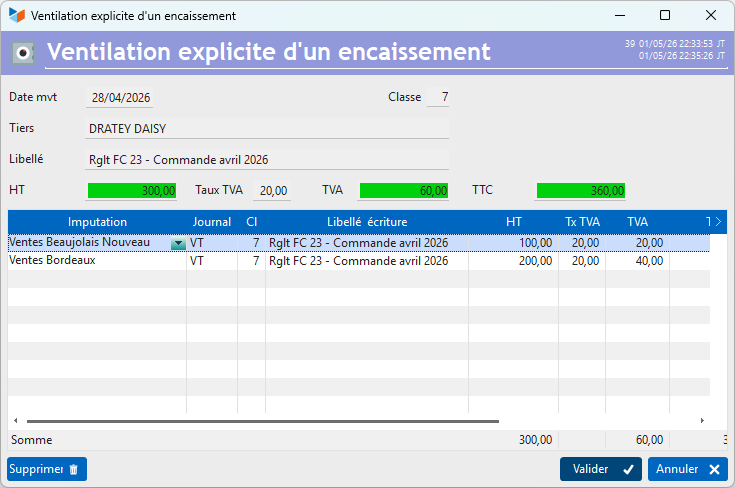
So, just like Monsieur Jourdain, you’re doing bookkeeping without even realising it!

ℹ️ Other ‘Accounting’ articles
Arrêtés de TVA
Balance
Balance tiers
Calcul de la TVA
Certification des logiciels de caisse
Clôture comptable / Exercices comptables
Comptabilisation des DEEE
Comptabilisation des écritures
Comptabilité avec Gestan : principes de base
Comptabilité en partie double
Compte bancaire et de caisse
Compte de résultat
Créances irrécouvrables
Encaissements/Décaissements
Export CFONB
Export SEPA
Export XIMPORT des données comptables
Facturation par taux de taxe
Grand Livre
Immobilisations
Imputations comptables
Journal
Journaux comptables (codes)
Lettrage
Liaisons comptables
Liaisons en masse : écritures
Micro-Entreprise / Auto-Entreprise
OD (opérations diverses)
Options des documents comptables
Paramétrage comptabilité
Pièces sans imputation
Plan comptable
Pointage TVA
Produits et Charges
Rapprochement bancaire
Relevés de compte bancaire
Remise de chèques
Revue des écritures
Soldes de gestion
Taux de TVA
Ticket Z
Trésorerie prévisionnelle *
Trésorerie simplifiée
Ventilation des factures par échéances
Ventilation des écritures
Ventilation détaillée par taux de taxe