Reassignment of users
 A1 proofreading not yet effective for this page. In the meantime, you can ask any questions on the forum.
When an employee is replaced by another who takes over their missions, it is necessary:
- via the user file, if necessary, archive it or remove its access rights to the database;
- reassign the entities on which he was declared as active with this reassignment screen.
These entities are:
- contacts (as sales manager);
- actions and interventions (as required to carry it out);
- quotes, invoices, orders, etc. (as administrative or technical manager);
- projects (as project manager, sales manager or technical manager).
Reassigning contacts
Access: Tools → Administration → Bulk data processing → Contacts → Reassign
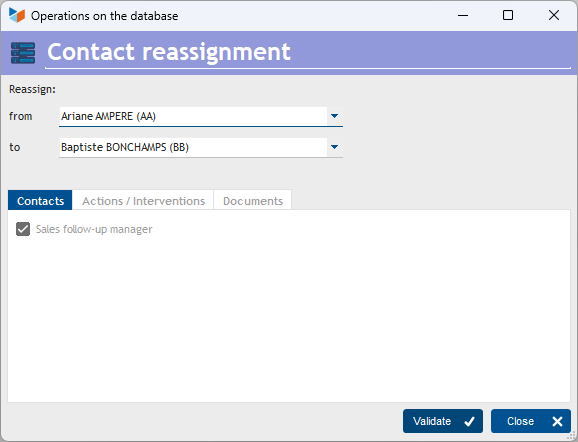
The Validate button will assign to all contacts whose manager is the user “from” to the user “to”.
Reassignment of actions, planned actions, interventions
Access: Tools → Administration → Bulk data processing → Actions → Reallocate (actions,inter)
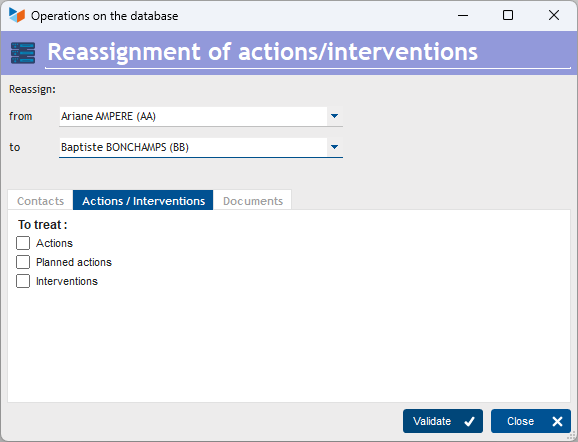
The Validate button will assign to all actions, planned actions, or interventions, depending on the options selected, the contacts whose manager is the user “from” to the user **“to” **.
Reassignment of parts
Access: Tools → Administration → Mass data processing → Parts → Reassign
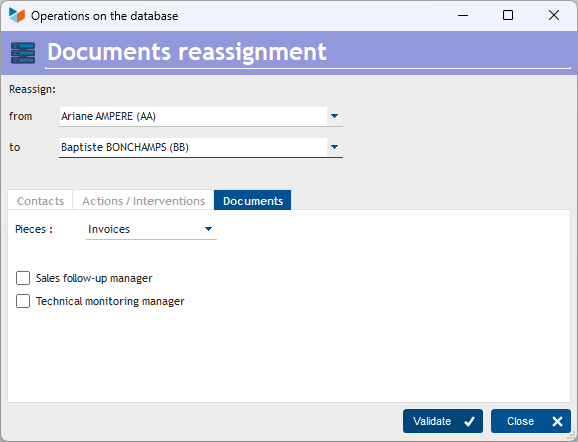
The Validate button will assign to all the parts whose type is selected via the Parts combo, the commercial or technical contacts depending on the options chosen, are the user “from” to user “to”.
Reassignment of projects
Access: Tools → Administration → Mass data processing → Projects/Consumptions → Reassign
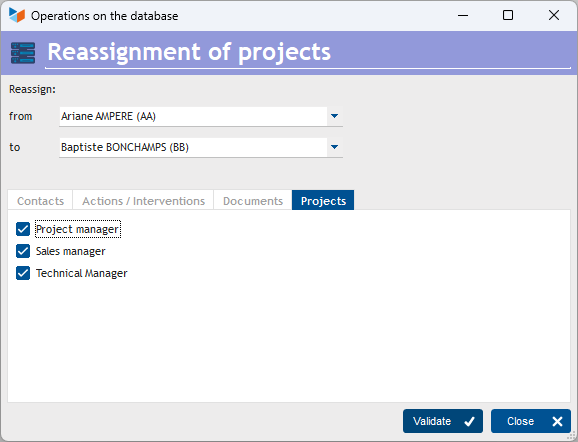
The Validate button will assign to all projects whose operational, commercial or technical managers depending on the options chosen, are the user “from” to the user “to”.
 Other Tools articles
Connection to Gestan
Database minimization
Export Gestan database
Gestan base import
Gestan directory structure
Gestan on a USB stick
Gestan Versions
Import a chart of accounts
Import account assignments
Import contracts into Gestan
Import Google/Outlook/Notes contacts
Import parts into Gestan
Import product translations
Importing data into Gestan
Maintenance of HFSQL files
Mass Parts Removal
Quick start
Reallocation of contacts by region
Reassignment of users
Rebooking entries
Reset additional fields
Reset categories
Resetting files
Tips and tricks
Transfer your data to technical support
Zip the base