Accounting journals
 A1 proofreading not yet effective for this page. In the meantime, you can ask any questions on the forum.
The journal is a mandatory accounting document listing the company's transactions with its environment.
It is rare to have just one journal, given the number of accounting entries to be recorded, and generally speaking we speak of several journals, since to avoid it being a “catch-all”, companies divide the journal into several journals according to the nature of the operations to be recorded (purchases and expenses journal, sales journal, etc.), which are called auxiliary journals.
This screen shows the company's various journals.
- purchase journal
- sales journal
- bank journal
- the “all movements” journal
 Learn more about Wikipedia
Using the screen
Access: via Accounting → Accounting documents → Journals
The Generate button triggers the generation of accounting journals for the specified date range.
You can use the Filter field to specify the account (e.g. 411), accounts (e.g. 61*), or range of accounts (e.g. 61-62) of interest. You can also filter the export for a specified Diary.
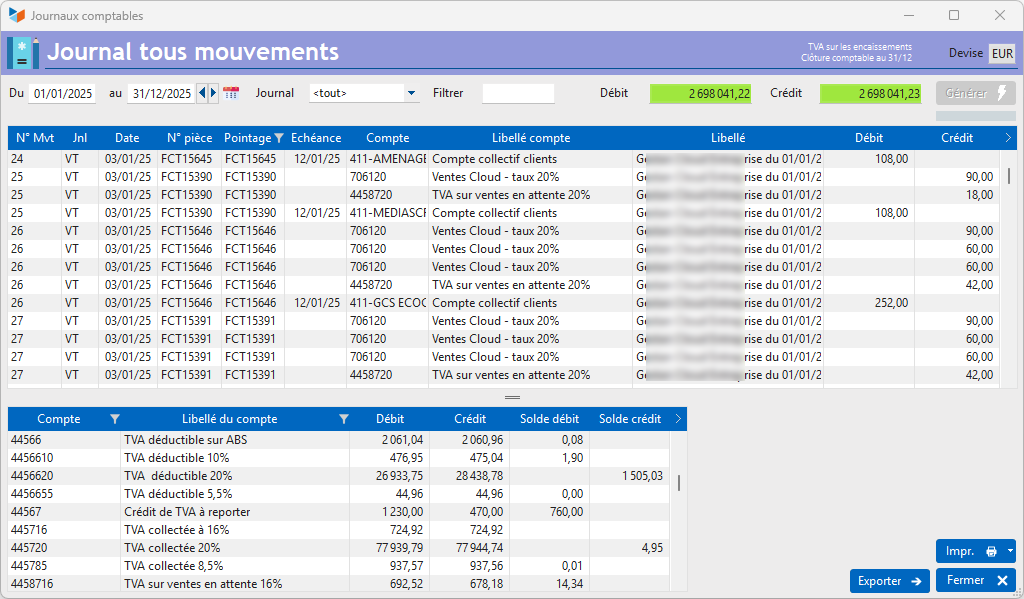
The Print button generates the ECR13 report, while the Export button generates two Excel files of the journals (detail and total).
Use the context menu on the screen to access the options for generating accounting documents.
Results can be presented in any currency other than the accounting currency, by right-clicking on the Currency field.
The table at the bottom of this screen is a simplified balance for the accounts concerned.
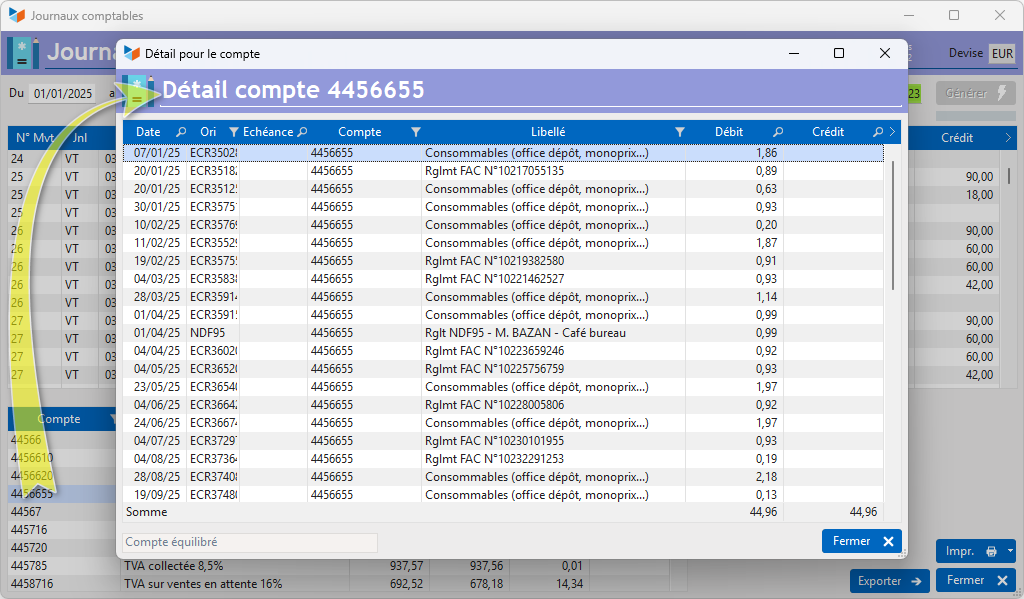
Double-clicking on this table opens the account details screen below.
 Other “Accounting ” articles
Accounting document options
Accounting entries
Accounting journals
Accounting links
Accounting settings
Accounting with Gestan: basic principles
Automatic accounting allocations
Bad debts
balance
Bank account details
Bank account statements
Bank reconciliation
Billing by tax rate
CFONB Export
Chart of accounts
cptresultat
Delivery of checks
Documents without imputation
Double-entry bookkeeping
Exporting and importing accounting data
Fixed assets
For further information
General Ledger
Income and expenses
Lettering
Log codes
Mass links: entries
Micro-Enterprise / Self-Enterprise
Payments
Pointing of supporting documents for VAT
Posting entries
Receipts/Payments
Recording WEEE
Review of entries
SEPA Export
Third-party balance
VAT Calculation
VAT statements