Accounting close / Financial years
Once your accounting close date has passed, you can close the financial year.
However, it is prudent to allow sufficient time to complete any outstanding transactions for the financial year and to carry out the necessary checks.
Accounting close
Access: Accounts → Accounting documents → Closures
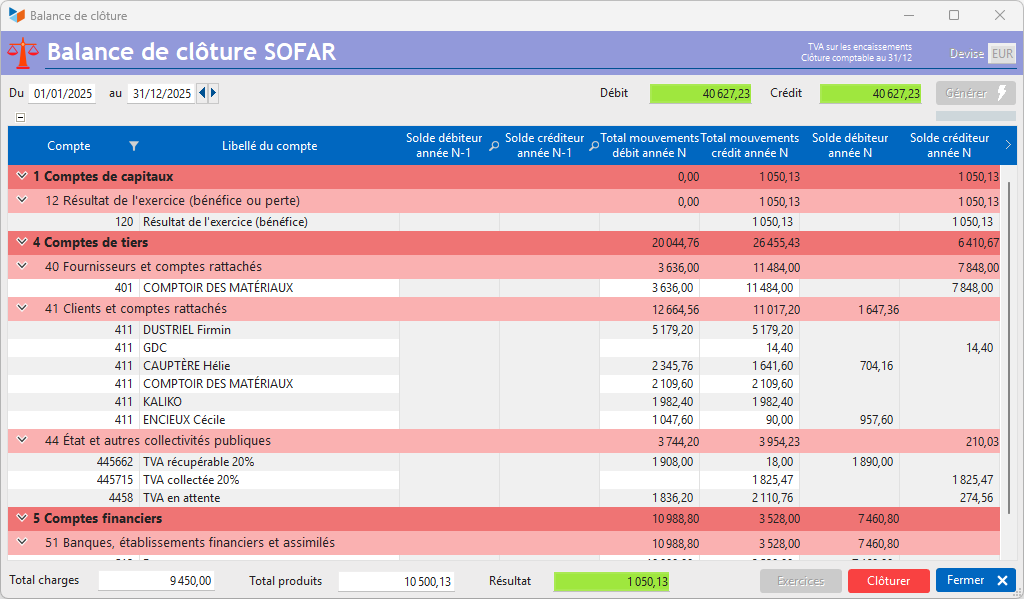
The Generate button triggers the calculation of the closing balance sheet for the specified financial year.
The closing balance sheet has the following characteristics:
- income and expense accounts are not shown on the closing balance sheet
- the profit from the previous year’s profit and loss account is carried forward as retained profit (whereas a loss would be carried forward as retained loss).
 Use the screen’s context menu to access the options for generating accounting documents.
If the financial year can be closed, the Close button is active.
The financial year-end process carries out the following operations:
- calculation of the net profit or loss
- calculation of the balances of balance sheet accounts
- posting of account balances.
You can then lock the financial year, so that it becomes impossible to amend journal entries, invoices and supplier invoices, credit notes and supplier credit notes for that financial year.
Once the financial year has been closed, it is recommended that you generate the accounting documents, either as PDF files or in printed form (journals, general ledger, trial balance, profit and loss account) and, for France, that you generate the FEC.
The financial year management screen
//Access: Accounting → Accounting Documents → Year-End Closings → Financial Year Results //
This screen allows you to manage financial years and check balances (retained earnings).
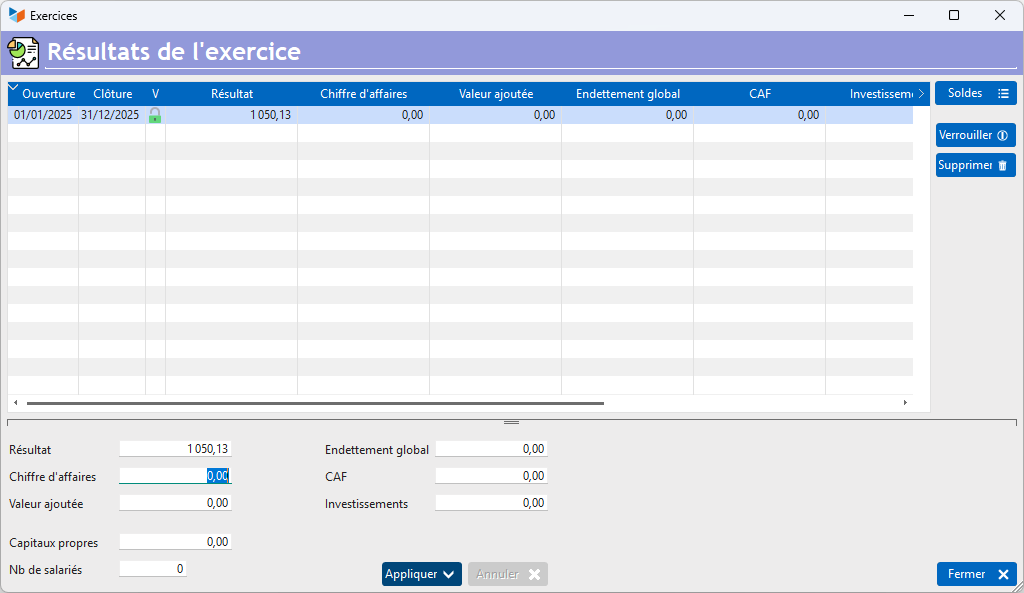
The Lock button will lock the financial year. It will no longer be possible to delete the financial year, nor to amend any documents or journal entries within that financial year. It is not possible to unlock a locked financial year; it must be deleted.
The Delete allows you to delete the balances of a financial year that has not yet been locked.
On this screen, the Profit field is calculated when the financial year is closed; the other fields can be used to store key figures for the financial year (for reference).
The Balances button displays the list of balances for the financial year below.
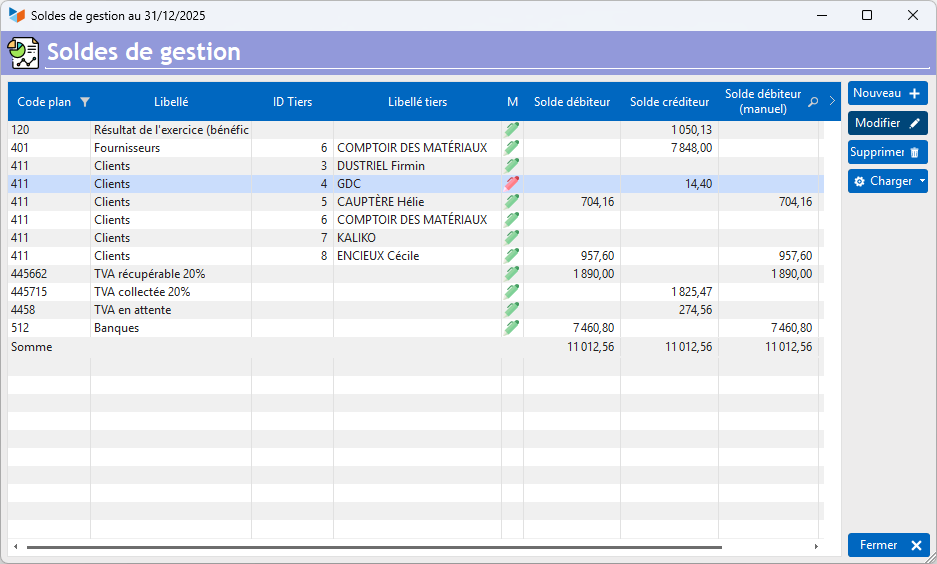
It is possible to amend the balances manually: in this case, the amendment is indicated by a red pencil in the list.
It is possible to import a complete balance file using the Loadbutton.
These features are particularly useful for incorporating the balances of accounts managed by external software into the calculations.
 Other “Accounting” articles
Arrêtés de TVA
Balance
Balance tiers
Calcul de la TVA
Certification des logiciels de caisse
Clôture comptable / Exercices comptables
Comptabilisation des DEEE
Comptabilisation des écritures
Comptabilité avec Gestan : principes de base
Comptabilité en partie double
Compte bancaire et de caisse
Compte de résultat
Créances irrécouvrables
Encaissements/Décaissements
Export CFONB
Export SEPA
Export XIMPORT des données comptables
Facturation par taux de taxe
Grand Livre
Immobilisations
Imputations comptables
Journal
Journaux comptables (codes)
Lettrage
Liaisons comptables
Liaisons en masse : écritures
Micro-Entreprise / Auto-Entreprise
OD (opérations diverses)
Options des documents comptables
Paramétrage comptabilité
Pièces sans imputation
Plan comptable
Pointage TVA
Produits et Charges
Rapprochement bancaire
Relevés de compte bancaire
Remise de chèques
Revue des écritures
Soldes de gestion
Taux de TVA
Ticket Z
Trésorerie prévisionnelle *
Trésorerie simplifiée
Ventilation des factures par échéances
Ventilation des écritures
Ventilation détaillée par taux de taxe